AI image generators are changing the game in the digital art world, offering artists, designers, and enthusiasts an exciting new way to create stunning visuals from simple text descriptions.
These tools use generative AI to produce images that spark creativity and open up endless possibilities.
But it’s not just hobbyists who are benefiting. AI image generators have caught the attention of professionals, too.
Artists find fresh inspiration, marketers quickly create eye-catching content, and game developers use AI-generated images to prototype ideas at lightning speed.
Even fields like scientific visualization and architectural design are seeing the advantages of AI image generation.
In this article, we’ll dive into some of the top AI image generators, explore their unique features, and discuss the ethical considerations of using AI image technology.
Whether you’re just getting started or you’re an experienced image creator, understanding the power of AI image generators can help you expand your creative toolkit and take your artwork to the next level.
Let’s jump into the world of AI image generator tools –
- Best AI Image Generators
- Leonardo AI
- Key Features of Leonardo AI
- Getimg AI
- Key Features of Getimg.ai
- Dzine AI
- Key Features of Dzine AI
- Nightcafe AI
- Key Features of NightCafe AI
- Microsoft Designer
- Key Features of Microsoft Designer
- Gemini Imagen 3
- Key Features of Gemini Imagen 3
- Adobe Firefly
- Key Features of Adobe Firefly
- Meta AI
- Key Features of Meta's Imagine AI
- Craiyon AI
- Key Features of Craiyon AI
- Deep AI
- Key Features of DeepAI
- Bluewillow AI
- Key Features of BlueWillow AI
- Pixlr
- Key Features of Pixlr AI Art Generator
- FreePik's AI Image Genrator
- Key Features of Freepik's AI Art Generator
- Some Other AI Image Generators
Disclosure: This post may contain affiliate links. This means if you click on one of the links and purchase anything I may receive some affiliate commission at no extra cost to you. Thanks in advance for your support.
Best AI Image Generators
Leonardo AI
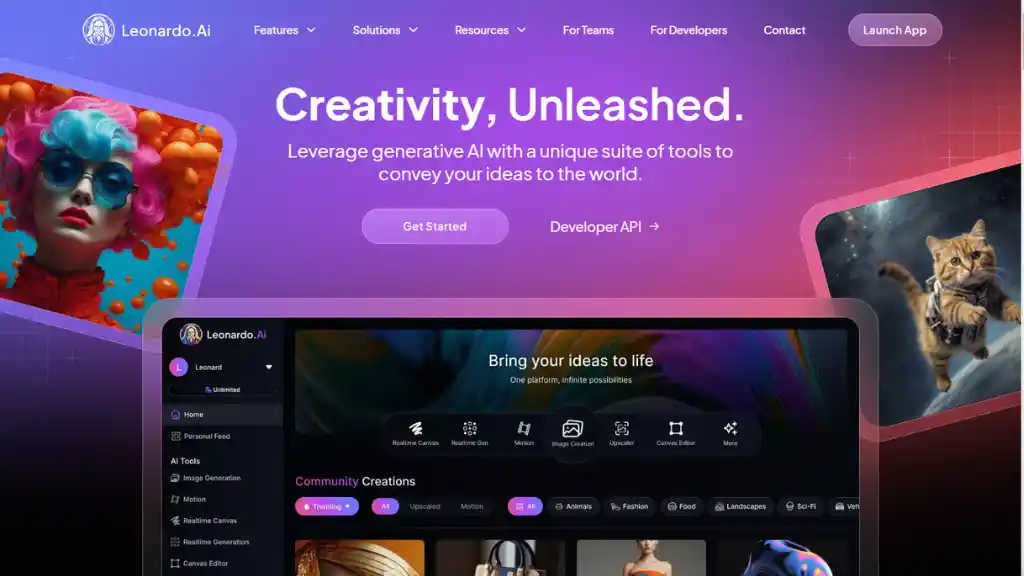
Leonardo AI is a versatile platform designed to create and enhance visual content, making it a popular choice for graphic designers, game developers, fashion experts, and marketers.
By focusing on user-friendly features and cutting-edge technology, Leonardo AI delivers high-quality visuals that meet the needs of various creative industries.
Key Features of Leonardo AI
- Image Generation: Leonardo AI generates high-quality images based on user-defined prompts. You can create multiple images at once, while customizing dimensions, quality, and size to meet your specific project needs.
- Motion and Animation: The platform allows you to add animations to still images, bringing static visuals to life. This feature is particularly useful for creating engaging content for social media and marketing campaigns.
- Realtime Canvas: With the Realtime Canvas feature, Leonardo AI gives you the ability to generate and edit AI art in real-time. This user-friendly editor offers great control over the creative process, enabling instant adjustments and refinements.
- Training Custom Models: Leonardo AI enables users to train their own custom AI models tailored to their artistic preferences. This feature is ideal for creators who want to achieve unique results that align with their specific style or project requirements.
- 3D Texture Generation: The platform also supports 3D texture generation. You can upload OBJ files to create textures that enhance your 3D models. This feature is especially beneficial for game developers and designers working on immersive environments.
- User-Friendly Interface: Designed with accessibility in mind, Leonardo AI caters to both beginners and experienced professionals. Its intuitive interface simplifies complex tasks, allowing users to focus on creativity instead of technical challenges.
Applications of Leonardo AI
- Game Development: Game developers frequently use Leonardo AI to create character designs, environments, and other essential assets for game production. The platform’s ability to generate consistent styles across multiple assets ensures visual coherence in games.
- Graphic Design: Leonardo AI streamlines the graphic design process, enabling designers to quickly produce logos, banners, infographics, and other marketing materials. Its efficiency helps reduce the time spent on prototyping and finalizing designs.
- Fashion Design: Fashion designers leverage Leonardo AI to create quick sketches, mood boards, and mockups that reflect desired aesthetics. The tool facilitates rapid iteration, making it easier to explore various styles and trends.
- Marketing and Advertising: For marketers, visually-driven content is key to capturing audience attention. Leonardo AI assists in designing compelling images for social media campaigns, advertisements, and promotional materials.
- Interior Design and Architecture: Architects and interior designers use Leonardo AI to visualize concepts through detailed renderings of room layouts, color schemes, and decorative motifs based on textual descriptions.
Strengths of Leonardo AI
- Speed and Efficiency: Leonardo AI generates high-quality visuals rapidly, making it particularly valuable in fast-paced industries like gaming and marketing where quick turnaround times are essential.
- Consistency: The platform ensures stylistic consistency across various assets, which is crucial for large projects that require a cohesive look.
- Scalability: Leonardo AI efficiently handles workloads of varying sizes, from small personal projects to large-scale productions, without compromising on quality.
- Accessibility: With its easy-to-navigate interface and straightforward tools, Leonardo AI is approachable for users at all skill levels.
Also Read – Mastering Leonardo AI: A Comprehensive Step-by-Step Tutorial for Beginners
Leonardo AI Pricing
Leonardo AI operates on a token-based pricing system. Users receive a daily allocation of 150 tokens in the free tier, which can be used for image generation. Paid plans start at approximately $10 per month (billed annually) and provide additional tokens for more extensive usage.
Leonardo AI is a standout tool in the world of generative AI art creation. Its robust features serve a wide range of industries from gaming to fashion allowing creators to produce high-quality visuals quickly and efficiently.
With its user-friendly design and advanced capabilities like custom model training and animation integration, Leonardo AI is well-positioned as an essential resource for artists and professionals looking to streamline and enhance their creative workflows.
Getimg AI
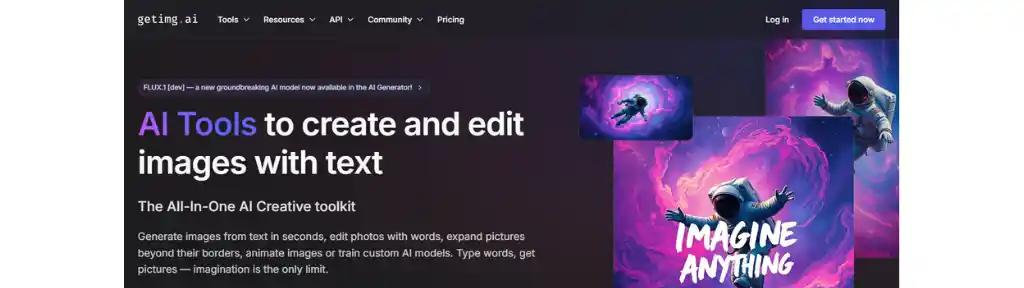
Getimg.ai is an innovative AI-powered tool that enables users to create and modify visuals. It allows users to craft stunning artwork from written descriptions, make adjustments to existing visuals, and expand images beyond their original boundaries. Here’s a detailed overview of its features, functionalities, and user feedback.
Key Features of Getimg.ai
- AI-Powered Visual Creation
Getimg.ai allows users to produce visuals from written inputs, leveraging advanced AI algorithms to quickly deliver high-quality results.
- Image Editing Tools
The platform includes a comprehensive suite of editing tools, making it easy to tweak visuals seamlessly. Features like inpainting (altering specific areas of an image) and outpainting (expanding the image beyond its original borders) are available for flexible editing.
- Customizable Models
Users can personalize AI models to match specific artistic preferences and needs. Getimg.ai supports various models, including those based on Stable Diffusion, offering diverse creative outputs.
- User-Friendly Interface
The intuitive design of the platform ensures accessibility for both newcomers and seasoned creators. The straightforward layout simplifies the visual creation and editing process.
- Real-Time Processing
Getimg.ai provides real-time updates, allowing users to instantly see the results of their adjustments or inputs.
- Versatile Applications
- Content Creation: Users can easily craft striking visuals tailored to various online platforms.
- Graphic Design: The platform is perfect for creating logos, flyers, and other marketing materials.
- Web Design: With the border-expansion feature, users can create visuals that fit seamlessly into website designs.
Performance Insights
- Output Quality: Users generally report that the platform produces high-quality visuals, though the quality may fluctuate depending on the model and user input.
- Speed and Efficiency: The AI significantly speeds up the creative process, offering a time-saving alternative to traditional design methods.
Getimg Pricing Model
Getimg.ai follows a subscription-based pricing system:
- The basic plan starts at about $12 per month, providing users the ability to create up to 3,000 visuals.
- Additional subscription tiers are available, depending on users’ needs.
User Feedback
Pros:
- Extensive Features: Users appreciate the wide array of tools available for both creating and editing visuals.
- Creative Flexibility: The ability to tailor models and experiment with various styles opens up endless creative possibilities.
- Community Interaction: The platform encourages users to share their creations and receive feedback, fostering a collaborative environment.
Cons:
- Learning Curve: Some users may need time to fully understand and take advantage of the platform’s AI-powered features.
- Resource Demand: High-quality visual creation can require substantial computing power.
- Inconsistent Quality: While many results are impressive, some users have noticed variations in the quality of the visuals.
Getimg.ai stands out as a versatile tool for anyone looking to efficiently create or edit high-quality visuals.
Its combination of advanced AI capabilities, easy-to-navigate interface, and extensive customization options make it a valuable resource for a variety of creative projects, from content creation to graphic design.
While there are some challenges, such as learning curves and occasional output inconsistencies, the overall functionality makes it a powerful tool in the world of AI-driven visual creation and editing.
Dzine AI
Dzine AI, formerly known as Stylar AI, is a cutting-edge platform that uses artificial intelligence to create and edit visuals, streamlining the creative process for both beginners and professionals.
Dzine AI offers a wide range of advanced features that make image creation and editing efficient. Here’s an in-depth look at its key functionalities and user feedback.
Key Features of Dzine AI
- Text-to-Visual Creation
Dzine AI allows users to produce visuals based on written inputs, enabling them to bring concepts to life without needing advanced artistic skills. This feature is particularly helpful for quickly generating unique imagery.
- Generative Fill
This advanced tool helps users fill in or replace parts of images seamlessly, making it ideal for intricate editing tasks and creative compositions.
- Object and Background Removal
Users can easily remove unwanted elements or backgrounds from images, improving the overall composition and bringing attention to the main subject.
- Intelligent Photo Filters
The platform provides adaptive photo filters that analyze the content of images and apply enhancements suited to various styles, optimizing the visual appeal.
- Image-to-Image Transformations
Using GPT-based technology, Dzine AI facilitates sophisticated image transformations, allowing users to create variations and explore different artistic directions effortlessly.
- Layer-Based Editing
The platform includes an advanced system for managing layers, giving users precise control over different image elements. This feature allows detailed adjustments, manipulation, and organization for complex editing projects.
- Community Interaction
Dzine AI supports an active community where users can share their creations, receive feedback, and join creative contests on various platforms.
Performance Insights
- Quality of Outputs: Users frequently report high-quality results, particularly praising Dzine AI’s ability to generate consistent character designs, a crucial feature for game developers and animators.
- User-Friendly Design: The intuitive interface makes Dzine AI accessible to users at all skill levels, from beginners to seasoned designers.
Dzine AI Pricing
Dzine AI follows a freemium model:
- Free Plan: Users get 30 credits per day, which reset daily, offering access to limited features.
- Standard Plan: Priced at around $10 per month, this plan provides more credits and additional features.
- Professional Plan: Available for about $30 per month, offering even more credits and advanced functionalities.
- Business Plan: Costs around $60 per month, providing higher credit limits and extended features.
Pros and Cons
Pros:
- Real-Time Collaboration: Multiple users can work together on projects simultaneously, boosting productivity for teams.
- Custom Brushes: A variety of customizable brush tools allow artists to craft unique textures and fine details.
- Smart Resizing: Automatically adjusts resolution and aspect ratio for different platforms without sacrificing quality.
Cons:
- Learning Curve: The platform’s advanced features may take time to master, which could overwhelm new users.
- Limited Manual Control: Some professionals might find the lack of in-depth manual controls limiting.
- High Resource Demand: The advanced AI functionalities can be demanding on a system’s processing power, potentially slowing down less capable devices.
Dzine AI shines as a powerful tool for anyone looking to enhance their design skills through AI-assisted visual creation and editing.
Its combination of advanced capabilities, easy-to-use interface, and a supportive creative community makes it a top choice for both casual users and professional designers.
Although some users might find the learning curve steep and manual control options limited, Dzine AI’s efficiency in bringing imaginative ideas to life makes it a valuable asset in the world of AI-driven design.
Nightcafe AI
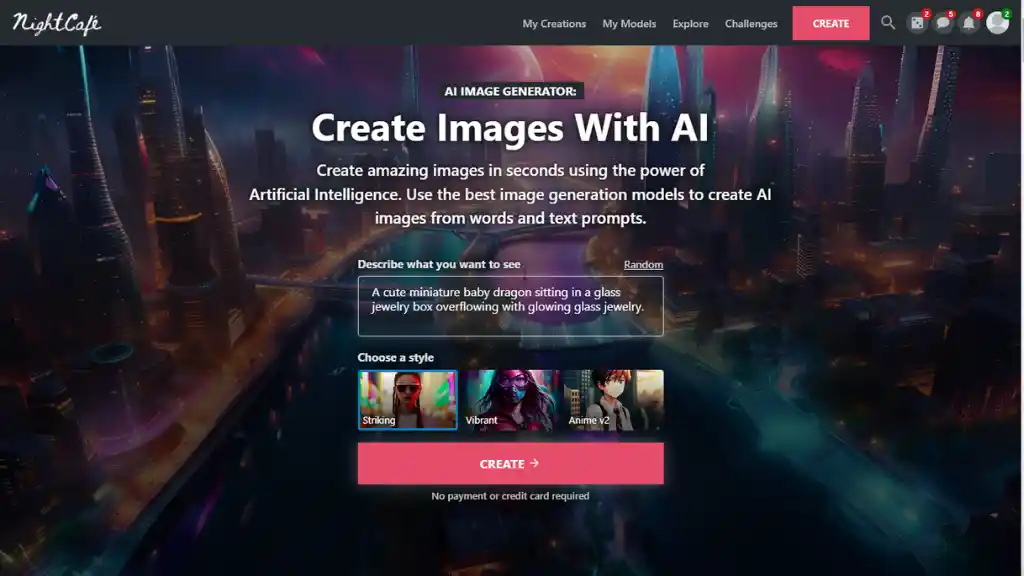
NightCafe AI is a popular platform that allows users to create unique artwork using artificial intelligence.
By entering text descriptions, users can generate captivating visuals and apply various artistic styles to their existing photos.
Since its founding by Angus Russell in November 2019, NightCafe has grown significantly, with over 35 million AI-generated artworks produced on the platform.
Key Features of NightCafe AI
- Text-to-Image Creation: NightCafe excels at turning written descriptions into stunning visuals. Users simply input keywords, phrases, or sentences to generate artwork that reflects their ideas.
This makes the platform especially useful for transforming a text description into visual art with minimal effort. - Multiple AI Models: The platform uses a variety of cutting-edge AI models, including:
- Stable Diffusion, which generates detailed and intricate visuals.
- OpenAI DALL-E 2, known for producing imaginative and whimsical designs.
- VQGAN+CLIP, a method combining generative adversarial networks with contrastive learning to produce high-quality pieces.
- Style Transfer, which lets users apply different artistic effects to their existing photos.
- Customization Options: NightCafe provides users with the ability to adjust various settings, such as style strength, resolution, and aspect ratio. This level of customization allows creators to fine-tune their artworks to match their personal preferences, making the creative process more hands-on and tailored.
- Community Engagement: NightCafe fosters an active and supportive community where users can share their AI-generated art, receive constructive feedback, and collaborate on projects.
The platform uses a credit system that rewards community participation, allowing users to earn credits they can spend on generating more art. These credits make NightCafe an attractive option for those looking for free AI photo tools. - Print-on-Demand Service: NightCafe also offers a print-on-demand service, giving users the option to purchase physical prints of their creations. This makes it easy to turn digital masterpieces into tangible art pieces.
How NightCafe Works
NightCafe operates using sophisticated machine learning algorithms that transform text descriptions into artistic images.
Users can experiment with various creation modes and styles to achieve a wide range of artistic effects.
The platform allows interactive adjustments during the creative process, ensuring that the final artwork aligns with the user’s vision.
Accessibility and Usability
Designed with ease of use in mind, NightCafe is accessible to both beginners and experienced artists.
Its intuitive interface ensures that users can navigate the platform effortlessly, even if they don’t have advanced technical skills.
The simplicity of the tool makes it one of the most user-friendly free AI image generators available. It is an innovative tool for anyone looking to explore AI-generated art.
By combining advanced artificial intelligence technology with a vibrant community and user-friendly design, NightCafe has democratized art creation, making it accessible to a broader audience.
Whether you want to create digital art for fun or use it for professional projects, NightCafe offers a versatile platform for bringing ideas to life with AI-generated visuals.
Microsoft Designer
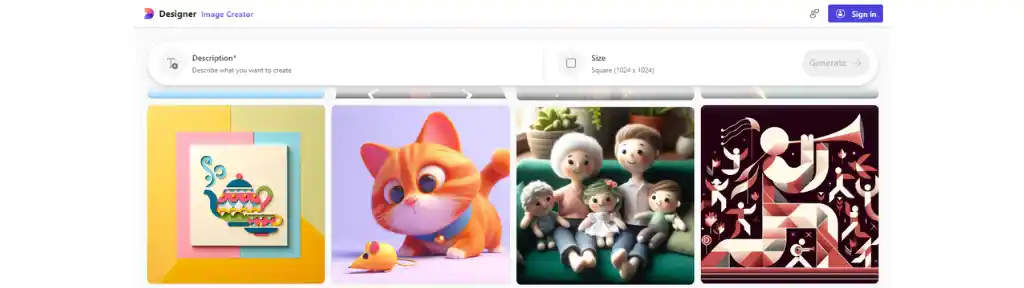
Microsoft Designer is a cutting-edge graphic design and image editing tool that uses artificial intelligence to simplify the design process for both beginners and professionals.
It helps users create high-quality visuals for a variety of projects, offering a range of features that make it easier to bring ideas to life.
Key Features of Microsoft Designer
- User-Friendly Interface: Microsoft Designer provides a clean, intuitive layout that makes it accessible for users of all skill levels. The drag-and-drop functionality allows users to quickly create professional-looking designs without the need for extensive design knowledge.
- AI-Powered Design Suggestions: The tool uses AI to offer smart design suggestions based on user input. This feature is particularly helpful for those who want to quickly craft attractive graphics, whether it’s for social media posts or marketing materials. It works similarly to an AI picture generator from text, guiding users with creative prompts to produce visually engaging results.
- Extensive Template Library: Users can access a vast collection of customizable templates, icons, and images. This resource speeds up the design process and helps users find inspiration for their projects, making it easy to create professional-grade visuals even for first-timers.
- Collaboration Tools: Microsoft Designer includes real-time collaboration features, allowing teams to share, comment on, and edit designs together. This seamless collaboration is ideal for design teams working on group projects.
- Cloud-Based Platform: Since Microsoft Designer is cloud-based, users can access their designs from any device with an internet connection. This ensures flexibility, enabling users to work on their projects wherever they are.
- Advanced Editing Capabilities: The platform offers advanced features like background removal, image enhancement, and blurring effects. Users can also add interactive elements such as animations and hyperlinks, enhancing the design’s overall impact. You can even use it as an AI image generator online to create engaging visuals.
- Integration with Microsoft 365: Microsoft Designer integrates smoothly with other Microsoft 365 tools, which makes it easy to import and export content across platforms. This enhances productivity and allows users to manage multiple projects efficiently.
Microsoft Designer Pricing
Microsoft Designer offers a free version that gives users 15 daily boosts for creating images. For those who need more, the Copilot Pro subscription is available for approximately $10 per month, providing 100 daily boosts and additional features that speed up the image creation process. This subscription model makes it easy to create AI images and explore more advanced features.
User Feedback
Pros:
- Easy-to-Use Design Tools: Many users appreciate how straightforward the platform is, thanks to its well-organized interface and the variety of pre-designed templates available.
- AI Capabilities: Users find the AI-generated suggestions helpful for sparking creativity and improving efficiency in the design process.
- Collaboration Features: Real-time collaboration stands out as a major benefit, especially for teams working on shared projects.
Cons:
- Learning Curve: Some users, even those with prior design experience, mention that it takes a bit of time to fully grasp all the features and tools.
- Limited Offline Access: The platform operates primarily online, which can be a disadvantage for users with unreliable internet access.
- Subscription Costs: Some users feel that the ongoing subscription model can become expensive over time compared to software that requires a one-time purchase.
Microsoft Designer is a powerful and efficient tool for anyone looking to create high-quality designs quickly.
Its user-friendly interface, extensive template library, and AI-driven suggestions make it suitable for both beginners and experienced designers.
While there are some limitations, like the learning curve and lack of offline functionality, its seamless integration with Microsoft 365 and collaborative features make it an appealing choice for users seeking an efficient graphic design tool.
For those in need of an AI image generator online, Microsoft Designer offers a reliable and innovative solution to streamline the creative process.
Gemini Imagen 3

Google’s Gemini Imagen 3 is the latest and most advanced AI model for creating visuals from text descriptions, also known as text-to-image synthesis.
This model builds on previous versions, offering better quality and more artistic flexibility for generating lifelike and detailed images. Here’s an overview of its key features, capabilities, and enhancements.
Key Features of Gemini Imagen 3
- High-Quality Image Creation: Gemini Imagen 3 excels at producing visuals with incredible detail, richer lighting, and fewer distracting artifacts compared to earlier versions.
This model is great at crafting photorealistic scenes that capture intricate elements like textures and complex lighting effects.
For those looking for a free image solution, Gemini Imagen 3 is a game-changer in the way image creators work. - Improved AI Text Understanding: The model significantly enhances its ability to interpret AI text prompts written in natural language.
Users can now create images by providing simple subject-action-setting prompts or even more complex, multi-layered descriptions.
This improvement ensures the final visual output closely matches the user’s mental image, making it easier to turn ideas into reality. - Versatile Artistic Styles: Gemini Imagen 3 supports a wide range of artistic formats, from realistic landscapes to playful claymation scenes and richly textured oil paintings.
This artistic range allows users to explore and express their creative vision, using the AI for both personal and professional projects. - Advanced Text Integration: The model includes upgraded text-rendering capabilities, enabling it to embed wordmarks and taglines seamlessly into the visuals.
This is particularly useful for generating branded graphics, such as those needed for marketing or presentations, making it easy to see how image generators work for commercial purposes. - Faster Image Creation: For users who prioritize speed, Gemini Imagen 3 offers a faster variant known as Imagen 3 Fast, which reduces latency by approximately 40% compared to earlier models.
This feature allows users to generate images more quickly without sacrificing quality, especially when time is of the essence. - Built-in Safety Features: Gemini Imagen 3 integrates SynthID, a security feature that embeds an invisible watermark in the created images.
This safeguard helps verify the authenticity of the AI-generated content, ensuring transparency about the image’s origin while preventing misuse. - Customization Options: Users can customize the visuals by specifying details like camera angles, lighting conditions, and subject placement. These fine-tuned controls give users the freedom to adjust elements in real-time to achieve the perfect final image.
Performance Insights
- Photorealism: Early users have praised how well Gemini Imagen 3 brings subjects to life, offering detailed, lifelike visuals.
- Artistic Flexibility: This AI allows creators to experiment with a wide array of artistic styles, from hyperrealistic to abstract, proving that it’s an essential tool for creative professionals.
- Prompt Complexity: The more detailed the description or AI text prompt, the better the outcome. Users can achieve superior results by providing elaborate details to guide the model.
Accessibility
Gemini Imagen 3 is gradually rolling out across different regions and languages, starting with English. Initially, it’s available for Gemini Advanced, Business, and Enterprise users.
Those with access will receive prompts to start using the image creation tool directly within supported applications, making it an exciting addition for professional and creative use cases.
Gemini Imagen 3 sets a new benchmark in AI-based visual creation with its outstanding quality, flexibility, and ease of use.
By improving how it understands text instructions and allowing for greater creative control, Google aims to empower users across various industries to create stunning visuals more efficiently.
As it continues to roll out globally, Gemini Imagen 3 promises to revolutionize the way we think about image creation.
Whether you’re using a free image tool or experimenting with the advanced customization options, this model will be a game-changer for anyone looking to bring their creative ideas to life using AI.
Adobe Firefly
Adobe Firefly is a cutting-edge AI tool built specifically for creative professionals and enthusiasts. Integrated into Adobe’s suite of applications, Firefly enables users to easily create and modify visuals, apply text effects, and enhance their creative processes.
Here’s a look at its standout features and functionalities –
Key Features of Adobe Firefly
- Text-to-Image Creation
With Firefly, users can produce visuals simply by providing text prompts. This text-to-image AI tool generates content that matches the user’s description, making it easy to transform ideas into visuals, even without advanced design skills. It works like a free AI image generator from text, streamlining the design process.
- Generative Fill
Users can easily modify existing photos by adding, removing, or replacing elements through text-based instructions. This feature enhances the editing process, providing realistic results that maintain the original photo’s quality. It’s especially useful for designers seeking quick edits with the help of an AI-powered photo editor.
- Generative Recolor
In Adobe Illustrator, users can quickly experiment with different themes and color schemes by using simple AI-driven text descriptions. This capability opens up new creative avenues, allowing for endless exploration of styles and color variations.
- Generative Shape Fill
Firefly simplifies the work of graphic artists by filling vector outlines with elements that complement the artwork’s look and feel. This feature speeds up the design process, providing multiple options that align with the overall design.
- Improved Image Models
Firefly Image 2 enhances the platform’s ability to produce lifelike results. It improves the recognition of landmarks, enhances portrait quality, and produces richer colors and more detailed outputs. The Auto mode ensures that Firefly automatically selects the best settings based on the type of content.
- Prompt Suggestions and Negative Prompts
Firefly suggests ways to improve text inputs, helping users refine their prompts for more precise results. Additionally, users can specify what elements they want to exclude from their images with negative prompts, giving them more control over the final creation.
Accessibility and Plans
Adobe Firefly integrates seamlessly into applications like Photoshop, Illustrator, and Adobe Express. Subscribers to Adobe Creative Cloud receive a monthly allocation of credits for AI-powered content creation, while free users are also granted a limited number of credits each month to explore the tool’s capabilities, including its free AI image generator from text feature.
Community Engagement
Adobe actively encourages collaboration among its users through community forums and Discord channels. This space allows designers to share ideas, seek inspiration, and provide feedback on Firefly’s features.
Adobe’s commitment to building a strong creative community enhances the user experience and supports continuous improvement of the tool.
Adobe Firefly empowers creators with advanced tools that simplify the content creation process while producing high-quality results.
Its features, tailored for artists and designers, position it as a powerful resource for anyone seeking to create and modify visuals efficiently using AI-generated content.
Whether through its text-to-image AI capabilities or its integration as a photo editor, Firefly continues to elevate the creative workflow.
Meta AI

Meta’s Imagine AI is designed to generate AI images from text prompts, delivering impressive speed and quality. Here’s a detailed overview of its key features, capabilities, and overall performance.
Key Features of Meta’s Imagine AI
- Fast Image Creation
Imagine AI creates visuals almost instantly, offering quick results for users who need fast visual content. This speed makes it competitive with other popular easy-to-use AI tools like DALL-E and Midjourney, making it a perfect fit for fast-paced content marketing projects.
- High Visual Appeal
Powered by the Emu model, which has been trained on over 1.1 billion images sourced from Facebook and Instagram, Imagine consistently delivers high-quality visuals. It excels particularly in creating realistic portraits, thanks to the rich dataset it draws from.
- Text-to-Image Capabilities
Users can provide text inputs to create a wide range of visuals. The model is especially strong in producing realistic portraits and does a good job with abstract concepts, although its accuracy may vary depending on the complexity of the prompt.
- Integration with Meta Platforms
Imagine seamlessly integrates with Meta’s ecosystem, allowing users to generate visuals directly within popular platforms like Facebook, Instagram, WhatsApp, and Messenger. This smooth integration makes content creation and sharing simple for users involved in content marketing and social media.
- Editing Features
Imagine offers the ability to edit existing visuals. Users can prompt the AI to add or remove elements from an image, such as changing the background or tweaking specific features in a portrait, enhancing the flexibility of the tool.
- User-Friendly Interface
Meta designed the Imagine AI interface to be intuitive, so users can easily input prompts and navigate through their results without needing specialized technical knowledge. This platform ensures that users of all skill levels can generate content efficiently.
Performance Insights
- Quality Ratings: Imagine AI earned a score of 3.92 out of 5 in evaluations, reflecting strong performance but also highlighting room for improvement in handling complex or abstract prompts.
- Portrait Generation: When it comes to creating realistic portraits, Imagine AI stands out as one of the best tools available, even surpassing some competitors in this area.
- Limitations: While Imagine performs exceptionally with realistic images, it may encounter difficulties with more abstract or intricate prompts, sometimes producing less coherent or accurate results.
Privacy Considerations
Meta uses user-generated content from its social media platforms to train the Imagine model, which raises potential concerns about privacy. Users should be mindful of how uploaded images may be utilized in the AI training process, especially given the platform’s reliance on this data.
Meta’s Imagine AI offers a robust and easy to use AI tool for anyone looking to generate AI content quickly and efficiently.
Its smooth integration into Meta’s suite of platforms makes it an excellent choice for users in digital marketing, enabling seamless content creation and sharing.
While privacy concerns remain a consideration, especially with the use of social media data, Imagine’s speed, high-quality outputs, and intuitive design make it a competitive option in the growing AI landscape, particularly for portrait creation.
Craiyon AI
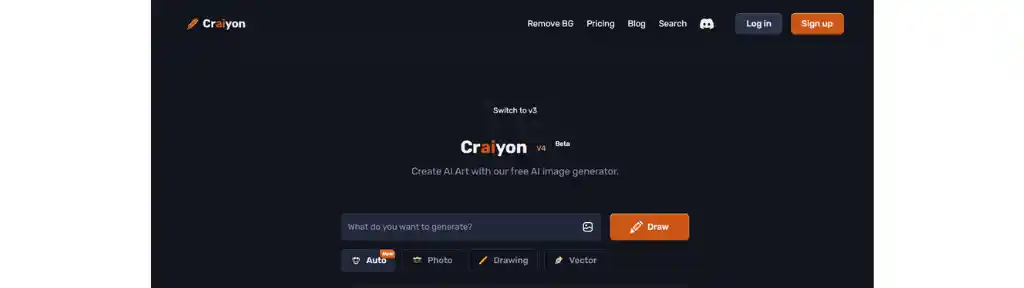
Craiyon AI, a popular tool for generating stunning images from text prompts, was originally launched as DALL-E Mini.
After a request from OpenAI to avoid confusion with its DALL-E models, the tool was rebranded to Craiyon. Below is an overview of Craiyon AI, covering its features, use cases, and pricing.
Key Features of Craiyon AI
- Text-to-Image Creation
Craiyon AI excels at turning user-provided text inputs into unique visuals. By simply typing in text prompts, users can watch as the tool generates images that match their descriptions, offering a straightforward way to visualize ideas.
- Customization Options
- Expert Mode: This mode allows users to customize their results further by excluding specific elements or colors from the images they want to create. For instance, users can enter negative keywords to reduce the presence of a particular color in the resulting visual.
- Multiple Art Styles: Craiyon lets users select from a range of artistic styles, enhancing the variety of visuals produced and giving users the flexibility to experiment with different looks.
- Enhance Feature
The Enhance option allows Craiyon to deliver higher-resolution images. This feature produces ai-generated visuals with more detail, resulting in clearer and more refined outputs.
- Community Engagement
Craiyon AI fosters community interaction through its active Discord channel, where users can share their creations, offer feedback, and connect with others passionate about AI art. This community engagement enriches the experience for users by encouraging collaboration and learning.
- User-Friendly Interface
Craiyon AI is designed to be simple and intuitive. Users just need to input their text descriptions and click “Draw” to see how the tool generates images in real-time. This makes it accessible for both beginners and seasoned creators.
Use Cases for Craiyon AI
Craiyon AI proves to be a versatile tool for a variety of applications, including:
- Art Creation: Artists can use Craiyon to generate beautiful images that inspire their projects or act as unique digital artwork.
- Content Creation: Bloggers, social media managers, and other content creators can produce engaging visuals for their platforms, whether for blog posts, articles, or marketing materials.
- Learning and Research: Craiyon is a great tool for generating visuals to support educational content, making reports, presentations, or learning materials more engaging.
- Personal Use: Users can also create personalized images for their social media profiles, websites, or other personal projects.
Craiyon AI Pricing Plans
Craiyon AI is largely free to use, but it also offers premium subscription options for users who want enhanced features:
- Supporter Plan: At $6/month, this plan provides faster image creation, unlimited image generation, private image storage, no ads, and no watermark.
- Professional Plan: For $24/month, this plan offers even faster speeds for image generation, as well as priority access to new features.
- Enterprise Plan: Custom pricing is available for businesses that need dedicated support and custom models tailored to their needs.
Limitations
While Craiyon AI offers many benefits, there are some limitations to be aware of:
- The quality of the ai-generated visuals may not be as polished as those from more advanced tools like DALL-E 2 or Midjourney.
- Craiyon currently lacks mobile apps for iOS or Android, limiting access on the go.
- The platform does not offer built-in editing tools, meaning users need to download images to make any further edits in another photo editor.
Craiyon AI stands out as a simple yet effective tool for creating attractive images from text prompts. With its combination of customization options, ease of use, and an active community, it appeals to artists, content creators, and anyone curious about exploring AI-generated art.
While it may not produce the highest-quality visuals compared to some premium options, its user-friendliness and versatility make it a valuable tool in the AI image creation landscape.
Deep AI
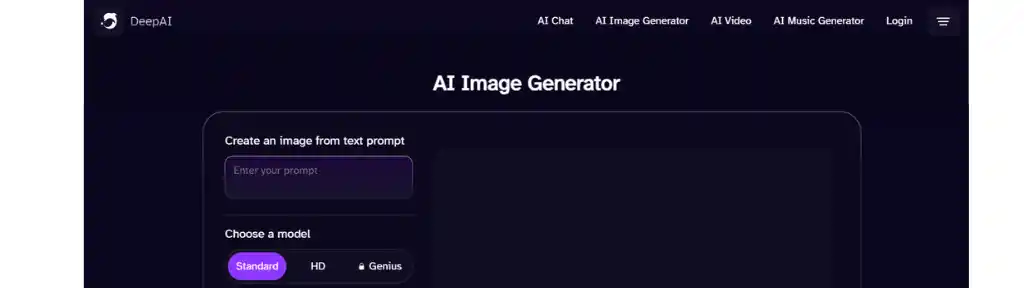
DeepAI offers a powerful platform packed with tools for creating visuals, generating text, and interacting with AI-driven characters. Below is an in-depth look at its features, pricing, and user experiences.
Key Features of DeepAI
- AI Image Creator
DeepAI enables users to generate images by simply inputting text prompts and selecting from a variety of art styles. This feature allows users to create unique visuals rapidly, making it an attractive tool for artists and content creators who need images generated efficiently.
- AI Photo Editor
DeepAI’s AI image editor simplifies the image editing process. Users can adjust brightness, enhance colors, or apply artistic effects with minimal effort. This makes it easy for individuals without advanced editing skills to create high-quality visuals from scratch or edit existing images.
- Interactive AI Characters
DeepAI also offers interactive AI character conversations. Users can engage with AI characters based on different categories, such as historical figures or fictional personas. This feature benefits writers and game developers seeking to add dynamic dialogue or explore storytelling ideas.
- API Integration
For developers and businesses, DeepAI provides API access. This allows them to incorporate DeepAI’s tools—like AI image generator from text or image and text generation—directly into their own applications, enhancing capabilities such as image recognition and text creation.
Deep AI Pricing
DeepAI operates on a flexible subscription and pay-per-use basis:
- DeepAI PRO: At approximately $4.99 per month, this plan provides more features and fewer limitations for users who require regular access to the platform’s tools.
- Pay-as-you-go: For those who need occasional access, users can purchase credits starting at $5 for 100 AI-generated image calls. This is a great option for users who don’t want to commit to a monthly subscription.
User Feedback
Pros
- Intuitive Interface: Many users appreciate how easy it is to navigate the platform, making it accessible for both beginners and advanced creators.
- Variety of Tools: With its range of capabilities—from image creation and editing to engaging in conversations with AI characters—DeepAI provides users with numerous creative outlets.
- Active Community: Users benefit from DeepAI’s community, where they can share their projects and receive feedback from others.
Cons
- Privacy Concerns: Some users have expressed concerns about how their data might be used, especially since DeepAI relies on user inputs for training its models.
- Limited Advanced Features: While DeepAI offers many useful tools, some users feel it lacks more sophisticated features that are present in other AI platforms, such as explainability features for models.
- Pricing Feedback: A few users think that the pricing could be more competitive to attract a wider user base.
DeepAI is an excellent platform for creatives, developers, and businesses looking to incorporate AI into their projects.
Its user-friendly AI image generator, flexible pricing, and wide array of tools make it accessible to many.
However, users should carefully consider their privacy needs and whether the platform’s capabilities meet their more advanced requirements before committing.
Bluewillow AI
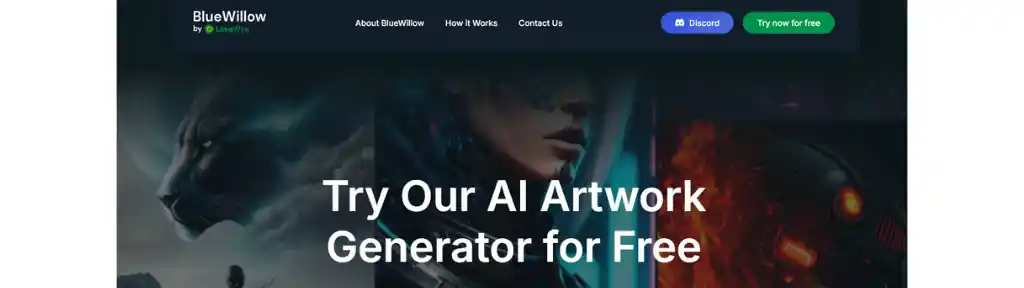
BlueWillow AI is a cutting-edge platform that helps users create digital artwork from written prompts.
Launched in January 2023 and now part of LimeWire, BlueWillow aims to make AI-driven art accessible and user-friendly, regardless of a person’s artistic background.
Here’s a closer look at its features, functions, and community engagement.
Key Features of BlueWillow AI
- Text-to-Art Creation
BlueWillow AI enables users to create visually stunning artwork by simply entering descriptive phrases. The platform supports a wide variety of artistic styles, allowing users to generate anything from logos and characters to lifelike visuals.
- Simple, Easy-to-Use Interface
The platform’s intuitive design makes it easy for beginners to navigate. With minimal effort, users can produce high-quality artwork, making it an ideal tool for anyone wanting to explore the world of AI-generated art.
- Vibrant Discord Community
BlueWillow operates primarily through a Discord server, fostering a vibrant space for users to share their artwork, discuss creative techniques, and exchange ideas. This collaborative environment encourages creativity and interaction among users, making the platform more than just a tool but a community-driven experience.
- Completely Free Access
Unlike many other platforms that require a subscription or payment for each creation, BlueWillow offers unlimited free access. This model is particularly appealing to hobbyists and those curious about experimenting with AI-generated art without any cost barriers.
- High-Resolution Artwork
BlueWillow’s technology is designed to produce high-quality, detailed artwork that can be used for commercial projects, personal collections, or other creative purposes. Users can expect stunning outputs that meet professional standards.
- Support for Multiple Languages
To reach a diverse audience, BlueWillow supports various languages. This inclusivity helps more people from different backgrounds engage in the AI art community, enhancing its global reach.
Performance Insights
Rapid Growth: Since its launch, BlueWillow has attracted over 1.4 million users, showcasing its popularity and effectiveness in the AI art landscape.
Diverse Applications: Users rely on BlueWillow to create digital art for social media, marketing, and personal projects, reflecting the platform’s wide range of use cases.
BlueWillow AI Pricing
BlueWillow operates on a freemium model, offering unlimited access to its features for free.
While users can create art without any cost, there are optional paid tiers that provide additional perks for those looking to support the platform.
BlueWillow AI stands out as an innovative AI generator for digital artwork. Its commitment to free, accessible use along with its lively Discord community makes it an appealing option for beginners and experienced creators alike.
As the platform continues to evolve under LimeWire’s ownership, BlueWillow is set to remain a leader in the world of AI art, empowering users to explore their creativity without limitations.
Pixlr
Pixlr’s AI art generator is an impressive feature within the Pixlr suite that enables users to create visuals from written descriptions.
Using advanced AI technology, it tailors unique artworks to meet user specifications. Here’s a look at its key features, functionalities, and performance.
Key Features of Pixlr AI Art Generator
- Text-to-Visual Creation
Pixlr lets users input descriptive phrases to produce images. They can adjust various aspects, including style, size, lighting, composition, and color choices. This flexibility makes it easy to generate anything from realistic scenes to abstract artwork.
- Simple, User-Friendly Interface
The tool is designed with ease of use in mind, making it accessible for both beginners and experienced designers. Users can easily navigate through the options and create art with just a few clicks.
- Customization Options
Pixlr allows users to choose specific styles and themes for their creations. They can also use negative inputs to remove unwanted elements or imperfections, improving the overall quality of the art.
- Real-Time Preview
The platform provides a real-time preview feature, allowing users to see how their adjustments impact the final result before saving or exporting the image.
- Seamless Integration with Other Pixlr Tools
Pixlr’s AI art generator integrates smoothly with other tools in the suite, like background removal and photo editing features. This allows users to enhance their artwork further or combine it with existing visuals for more dynamic results.
Performance Insights
Quality of Outputs: Users often find that Pixlr’s art generator produces high-quality visuals that meet or exceed expectations. While straightforward prompts tend to work best, more complex requests may require some refinement.
Speed: The tool works efficiently, delivering quick results for users who need visuals in a timely manner.
Variations: It generates multiple versions based on the user’s inputs, increasing the chances of finding the perfect fit for specific needs.
Pixlr Pricing Model
Pixlr offers a flexible pricing structure:
- Plus Plan: Around $1.99 monthly, or $0.99 per month with annual billing.
- Premium Plan: Roughly $7.99 per month, or $4.90 monthly with annual billing.
- Team Plan: Approximately $12.99 monthly, or $9.91 per month with annual billing.
Each plan includes a range of features and AI credits for creating artwork.
Pixlr’s ai art generator shines as a versatile tool for creating high-quality visuals from descriptive text.
Its easy-to-use interface, rich customization options, and integration with other Pixlr tools make it a strong choice for both casual users and professionals.
While it performs exceptionally well with simpler prompts, more complex requests might require a bit of additional refinement.
Overall, Pixlr is an excellent platform for anyone seeking to elevate their creative projects with ai-generated art.
FreePik’s AI Image Genrator
Freepik’s AI Art Generator is a powerful tool that turns written descriptions into high-quality visual content.
By harnessing the power of artificial intelligence, this platform helps users create unique visuals tailored to their needs. Here’s a breakdown of its key features, functionalities, and benefits for users.
Key Features of Freepik’s AI Art Generator
- Text-to-Image Creation
Users can quickly generate visuals by entering simple descriptions. The AI interprets these descriptions and creates images that match the user’s vision, often with impressive accuracy and creativity.
- Customizable Styles and Formats
The generator offers a range of styles and formats, enabling users to customize their visuals to suit specific needs. From photorealism to artistic styles like vintage or abstract, users have the flexibility to choose the look they desire for various applications.
- Real-Time Visual Creation
Freepik’s AI tool delivers almost instant results. Users can watch as their descriptions are transformed into visuals in real-time, significantly speeding up the creative process.
- User-Friendly Interface
The platform’s intuitive design makes it easy to create visuals without any complex descriptions. Users can generate images by entering simple phrases and selecting from preset styles and formats, making it accessible even for beginners.
- Seamless Integration with Freepik’s Ecosystem
The generator integrates smoothly with other Freepik tools like background removers and editors, allowing for a complete design workflow. This makes it easier to further refine and enhance the AI-generated visuals.
- High-Resolution Outputs
Freepik’s AI art tool ensures that the images produced are of high resolution, suitable for various uses, including professional projects and print media.
- Reimagine Tool
With the Reimagine feature, users can create multiple versions of an existing image. This allows for further experimentation without the need to start from scratch.
Performance Insights
- Consistent Quality: Users have praised the tool for maintaining a high level of quality across visuals, ensuring a polished and professional look.
- Creative Flexibility: The platform opens up many creative possibilities by allowing users to explore different artistic styles and approaches.
FreePik’s AI Image Tool Pricing
Freepik operates on a freemium model:
- Basic access is free, providing a limited number of AI-generated visuals.
- Premium subscribers unlock additional features and higher usage limits for more extensive projects.
Pros and Cons
Pros:
- Cost-Effective: The tool helps users create professional visuals without needing to hire designers, making it one of the best free AI image generators available.
- Instant Revisions: Users can make quick changes to the images, leading to faster decision-making in the design process.
- Creative Exploration: It offers ample tools to experiment with various styles, giving users the flexibility to explore new creative ideas.
Cons:
- Limited Creative Control: Some users may find the customization options not as detailed as desired.
- Quality Variations: Occasionally, the AI-generated images may not meet the highest professional standards.
- Internet Requirement: A stable internet connection is necessary for continuous access to the tool.
Freepik’s AI art generator stands out as a versatile and accessible tool for creating high-quality visuals from written descriptions.
Its ease of use, fast real-time image creation, and wide range of customizable options make it ideal for both beginners and professional designers.
While there are some limitations regarding creative control and consistency in output quality, it remains a powerful option for those looking to enhance their creative projects with AI-generated visuals.
Some Other AI Image Generators
Photosonic – AI art generator tool by Writesonic.
AnimeGenius – Create stunning anime art using this tool.
Fotor – Free online image generator tool to turn texts into images.
RenderNet AI – Best AI Image tool for creating cosistent characters.
AI Magicx – Effortlessly turn text inputs into stunning arts with AI Magicx.
Artguru AI – Photo to AI art, AI image generator, and other useful AI tools.
Generated.photos – Generate unique faces or humans with the help of AI.
Flux – Most powerful open source AI Image generator tool which is free to use.
Lusion AI – Useful AI tools along with the option to generate image using Flux.1.
Imgcreator – AI image to image, text to image and background image creator tool.
Imagine.art – Turn your artistic thoughts into stunning images using this platform.
Picsart – Photo editor, AI tools & design tools including free AI image generator tool.
MagicStudio – Type your description and AI will create art using the words given by you.
Liro AI – Create high quality images in complete privacy with this freemium AI image generator.
Recraft AI – AI image generator, image vectorizer, background remover, mockup generator, image upscaler, etc.
Piclumen – Absolutely free AI image or art generator, text to image and image to image tool with AI image extender.
FluxProWeb – It comes with Flux AI Image generator, Lora Image generator, AI Anime generator, Photo to Video generator, etc.
Midjourney – I have already written multple article about Midjourney on Medium, you check this one but Midjourney is a paid tool.
Note:
The pricing information for these platforms may be subject to change over time. Therefore, we recommend checking their respective websites for the most up-to-date and accurate information regarding pricing.
- Also note that the information may have changed since the publication.
My Recommendation
My go to tool is Leonardo AI but you should explore other AI image generator tools yourself and decide what suits you best.