Professionals, educators, and non-profits are looking for an affordable, easy-to-use video editor that can create simple videos without breaking the bank.
This is where Flexclip comes in. Flexclip has a completely free plan and is loaded with great features like a video editor, video trimmer, video converter, etc, making even simple editing projects possible to complete quickly.
This Flexclip review is one for online video enthusiasts and small business owners who need to edit their videos. Flexclip.com is a web-based video editor, no software download is required. You can also record your computer screen and webcam. Essentially this is a great online video editor and screen recorder that’s free to use.
Disclosure: This post may contain affiliate links. This means if you click on one of the links and purchase anything I may receive some affiliate commission at no extra cost to you. Thanks in advance for your support.
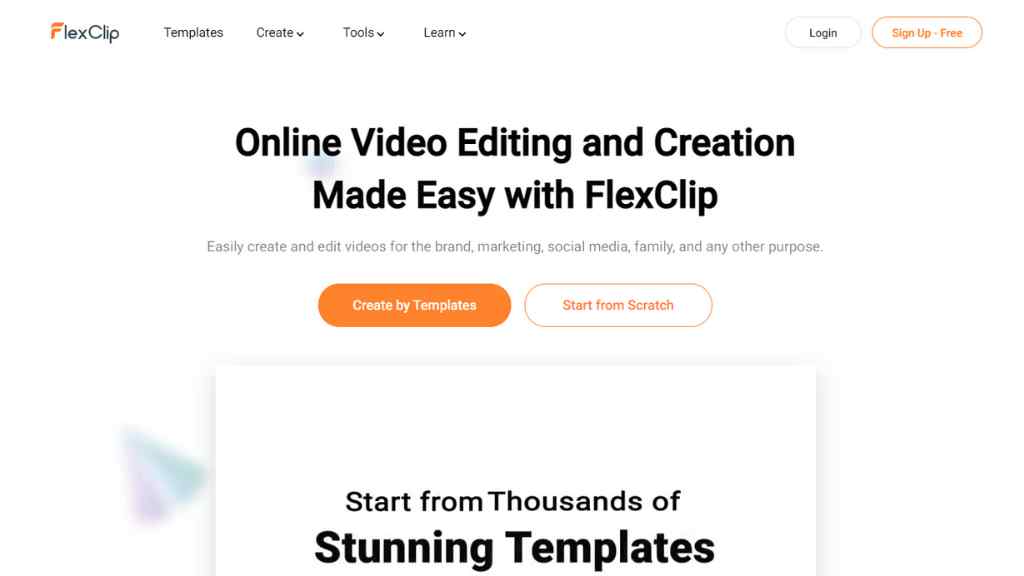
FlexClip Review of Features
Flexclip Video Editing Tools
Let’s talk about the benefits of using this free online video editor –
Flexclip Video Converter –
This is one of the popular features of this video editing tool, You can change the video format, size, or resolution using this free online video converter. The supported video formats are MP4, MOV, M4V, WebM, etc & You can convert them to MP4 & WebM.
After opening the flexclip video converter you will get a screen where you can drag & drop your video or you can browse files and select them.
Then choose resolution, format & quality and click on start, after the video gets converted, download it.
Flexclip Video Compressor –
Another free feature of flexclip is its video compressor, choose the video as you did in the previous tool, then you can choose the compressed quality ( from 10% to 100%) and resolution and click on compress now, once it is done, download it.
Flexclip Video Merger –
Upload your video clips and easily merge them together using this free online video merger.
Flexclip Video Trimmer –
Removing unnecessary parts from a video is essential & you can do it easily using this free video trimmer.
You can add your custom logo to make your videos branded, and add music, text, or subtitles easily with this free online video editor.
Remove background from images in seconds using its ai background remover tool.
Generate memes from photos or videos or you can pick from the library of stock photos, and download them as GIFs.
Add transitions and animations and make beautiful slideshows. Make a video collage or montage with flexclip.
You can use 20 filters on your videos, adjust brightness, change speed, or mute it if you want.
Flexclip Screen Recorder –
This web-based screen recorder is free to use, click on the start recording button then choose the audio settings, and download once it is done, you can record up to 10 minutes for free.
FlexClip Video Editor –
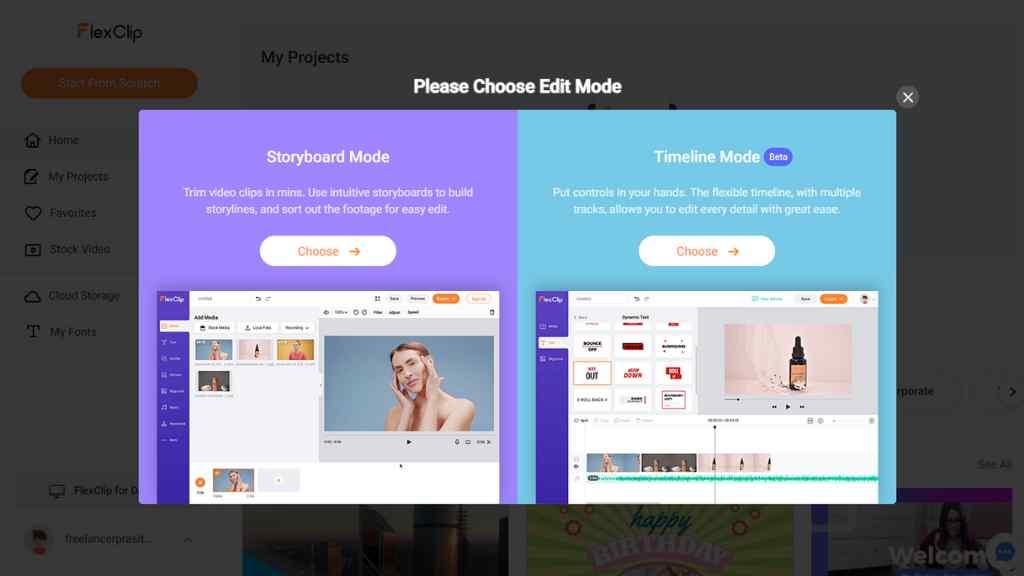
Once you go to the editor section click on start from scratch, here you will get two options –
1. Storyboard mode –
Choose your required screen ratio first to start using this mode, then use available templates, record your screen, add media from your PC or from the stock library and merge them together to make a video, the default length of video clips are 30 seconds if you are using a video that is more than 30 seconds then you have to drag the yellow bar and & trim it accordingly.
2. Timeline mode –
This feature is in beta, here first you have to add media that you can choose from your device or from the stock library, or record screen, then drag & drop them to the timeline and apply watermark, add transition or elements, and add effects. After that, you can export it to MP4 and download it.
The timeline mode is better for video editing while the storyboard mode is useful to make short video clips for social media.
FlexClip Use Cases –
There are multiple use cases for using this free online video editing tool –
For Business – Make promo videos, news videos, corporate videos, trailer videos or tutorial videos, etc.
For Lifestyle – Make birthday, wedding, anniversary, or memorial videos.
For Social Media – Make videos for Youtube, Instagram, Facebook, Twitter, or any other social media handles.
Flexclip Learning Centre –
This is their blog where flexclip provides tons of useful articles on video editing, video recording, video marketing, and video conversion, you should definitely check this out.
Flexclip Cons –
Flexclip is useful for beginners and for those who knew almost nothing about video editing but if you are already an expert in this field then it will be not a good choice for you.
Another con is the free plan, it is very much limited and it might not serve the purpose of video editing if you stay with the free plan only, free plan is good for testing and using the video converter or screen recorder, etc.
Even with the paid plan, you can record your screen for 10 minutes but they will increase the duration in the future for sure.
Flexclip Pricing –
Flexclip free plan – in this plan you can create a maximum of 12 projects, 1 stock video per project, 3 background removal credits, video length of 1 minute only, and 480p quality for download.
Flexclip basic plan – with this you will get 720p download, 10 GB cloud space, 25 background removal credits, 50 GB video sharing space, custom watermark, and fonts, but the length of videos will be 3 minutes only. This plan costs $5.99/month when billed yearly.
Flexclip plus plan – Now you will get video length of up to 10 minutes, 1080p download, 100 background removal credits, 30 GB cloud space, 100 GB video sharing space, and all other previously mentioned features. This will cost you $9.99/month (billed yearly).
Flexclip Business plan – This is the highest plan that costs $19.99/month (billed yearly), and you will get a video length of up to 30 minutes, 100 GB cloud space, 1 TB video sharing space, 500 background removal credits, and all other features. Use Promo Code FLEXCLIP10 to get 10% off on any plan, or use Code SPRING30 (before 31st March 2023) to get 30% off on monthly or annual plans.
Conclusion
Finally, there’s a video editor that gives you all the power without any of the headaches (you’re welcome). Get started today for free, or for an added price go with the plus plan for more features. It really doesn’t get easier than this!
Best AI Writers: Free AI Writing Assistants
Best SEO Content Optimization Tools