Presentations are an essential part of modern business communication. Whether you are presenting your product or service to potential clients, pitching your ideas to investors or simply sharing your knowledge with colleagues, the quality of your presentation can make all the difference.
However, designing a professional-looking presentation can be time-consuming and challenging, especially for those who lack design skills. This is where Decktopus AI comes in, a revolutionary new tool that uses artificial intelligence to simplify the presentation design process.
Disclosure: This post may contain affiliate links. This means if you click on one of the links and purchase anything I may receive some affiliate commission at no extra cost to you. Thanks in advance for your support.
Decktopus AI Review: What is Decktopus AI?
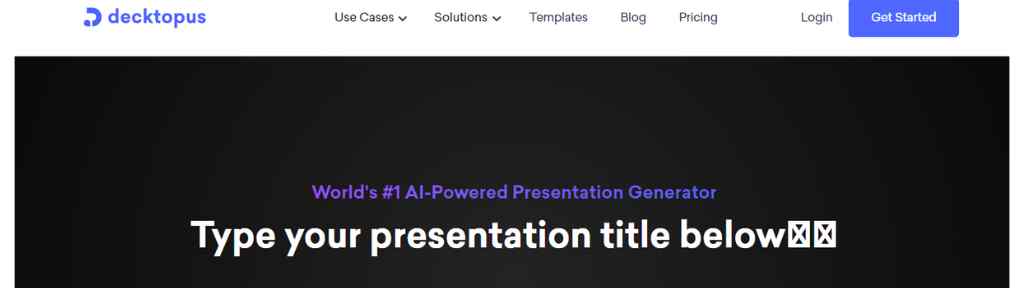
Decktopus AI is a cloud-based presentation design tool that uses artificial intelligence to create professional-looking presentations quickly and easily. Founded in 2019 by a team of experienced entrepreneurs and designers, Decktopus AI aims to help businesses and individuals create high-quality presentations without the need for specialized design skills or software.
The platform offers a range of templates and design elements that users can easily customize to create their presentations. Users can choose from a wide range of presentation types, including investor pitches, sales decks, educational presentations, and more. With Decktopus AI, users can create professional-looking presentations in minutes, without having to spend hours designing each slide.
How does Decktopus AI work?
Decktopus AI works by using artificial intelligence to analyze the content of a user’s presentation and suggest design elements and layouts that are best suited to the content. Users can upload their content in the form of text, images, and videos, and the AI algorithm will analyze the content and suggest design elements that best fit the content.
Users can then customize the suggested design elements or choose from a range of pre-designed templates to create their presentations. The AI algorithm ensures that the design elements are optimized for readability and visual appeal, helping users create professional-looking presentations quickly and easily.
Features and Benefits of Decktopus AI
Desktoppus AI has several features that make it stand out among other presentation tools. Some of these features are:
- AI-Powered Design:
The tool uses AI algorithms to design your slides automatically. The AI algorithms help you select the best layout, color, and font for your presentation based on the content you have provided. This means that you can create visually appealing presentations in a matter of minutes.
- Content Suggestions:
Desktoppus AI provides content suggestions to help you add relevant and engaging content to your presentation. It uses AI algorithms to analyze your content and suggests suitable images, icons, and other multimedia elements to enhance your presentation’s effectiveness.
- Template Library:
Desktoppus AI provides a library of pre-designed templates with more than 100+ templates that to choose from. The templates are organized based on the type of presentation you need to create, making it easy to find the right template for your needs.
- Collaboration:
Desktoppus AI allows you to collaborate with others in real-time. You can share your presentation with others and work on it together, regardless of their location.
Benefits:
Desktoppus AI provides several benefits that make it a valuable tool for anyone who needs to create presentations. Some of these benefits are:
- Saves Time:
Desktoppus AI saves you time by automating the design and content selection process. You don’t need to spend hours designing your slides or searching for images and icons.
- Easy to Use:
Desktoppus AI has a user-friendly interface that is easy to use. You don’t need any technical knowledge to create professional-looking presentations.
- Saves Money:
Desktoppus AI is an affordable solution that helps you create presentations without the need for a designer. This saves you money that you would have spent on hiring a designer.
- Provides Consistency:
Desktoppus AI provides consistency in your presentations by using the same layout, color, and font across all slides. This makes your presentation look professional and well-designed.
Limitations:
Despite its many benefits, Desktoppus AI does have some limitations. Some of these limitations are:
- Limited Customization:
While Desktoppus AI provides pre-designed templates, it does not provide many customization options. This means that you may not be able to create a presentation that is entirely unique to your brand.
- Limited Design Options:
Desktoppus AI uses AI algorithms to design your slides automatically. While this saves time, it also means that you have limited design options.
- Limited Multimedia:
While Desktoppus AI provides suggestions for multimedia elements, it does not have a vast library of multimedia elements. This means that you may need to search for additional multimedia elements outside of the tool.
Decktopus AI Solutions:
AI Presentation Maker: You just have to provide a topic to Decktopus & it will generate a professional presentation within seconds. You can start it from scratch or use any pre prepared presentation layout & once its ready share it online in PDF or PPT format.
Bio Link: Increase engagement & conversion rate by creating beautiful & interactive bio links & collect data of your leads using customizable built in forms. You can also check out my curated list of Bio Link Tools.
Microsite: Various customizable templates are available to create a professional looking microsite to get more leads & bookings, you can embed calenders and streamline your workflow.
Sales Funnel: You can use Decktopus as a high converting sales funnel builder & integrate it with popular tools using webhooks. Choose a template, customize it & share it as a link or QR code.
Mail Signature Link: It helps you to increase your brand awareness, website traffic & to get more bookings. It is easy to analyze engagement also.
Portfolio Maker: Present your work to the world in a professional & visually appealing way by creating a portfolio website using decktopus, keep it up to date & analyze & track the metrics to understand your audience. This is a very helpful feature for freelancers.
Form Builder: Create custom forms by filling in the blanks, embed them into your presentation decks, collect responses on autopilot and integrate with your workflow.
Branded Proposal Maker: You can create branded proposals with just few clicks & introduced your company’s services. Embed it to your site, use built in forms to collect data from your leads and record & use your own voice for proposals.
Who can use Decktopus AI?
From sales professionals to account executives, founders to marketing managers, agencies or even customer support teams can use this awesome AI presentation maker tool. This is also useful for webinar & conferences.
Decktopus AI Pricing
You can use Decktopus AI free forever and create unlimited number of presentations. The Pro plan gives you 750 AI credits & costs just $4.99/month (billed annually).
You can use this tool with its full potential with the Business AI plan that costs $29.99/user per month (billed annually) & gives you 1000 AI credits per user.
Conclusion on Decktopus AI Review:
Overall, Desktopus AI is a powerful presentation tool that simplifies the process of creating engaging and visually appealing presentations. It is easy to use, saves you time and money, and provides consistency in your presentations. While it has some limitations, it is still an excellent option for creating professional presentation. I suggest you to grab a free plan to try it out yourself.
Topicmojo Review – Is It The Ultimate Topic Research Tool?
FlexClip Review – Free Online Video Editor & Screen Recorder