Lead generation is an essential part of any business but is not easy and time-consuming. But what if you could automate it with some tool?
Yes, you can automate your lead generation strategy with automated actions provided by Phantombuster. Now let’s explore more about this lead generation tool in this Phantombuster Review –
- PhantomBuster Review
- What is PhantomBuster?
- What are the PhantomBuster Automations?
- How to use PhantomBuster?
- What can you use PhantomBuster for?
- PhantomBuster LinkedIn Lead Generation
- PhantomBuster Facebook Lead Generation
- PhantomBuster Instagram Lead Generation
- PhantomBuster Twitter Lead Generation
- PhantomBuster Google Lead Generation
- PhantomBuster Youtube Lead Generation
- PhantomBuster Quora Lead Generation
- PhantomBuster Pinterest Lead Generation
- PhantomBuster Medium Lead Generation
- PhantomBuster Integrations
- PhantomBuster Use Cases
- PhantomBuster New Features
- PhantomBuster Cons
- PhantomBuster Pricing
- Conclusion
- Frequently Asked Questions Related to PhantomBuster
Disclosure: This post may contain affiliate links. This means if you click on one of the links and purchase anything I may receive some affiliate commission at no extra cost to you. Thanks in advance for your support.
PhantomBuster Review
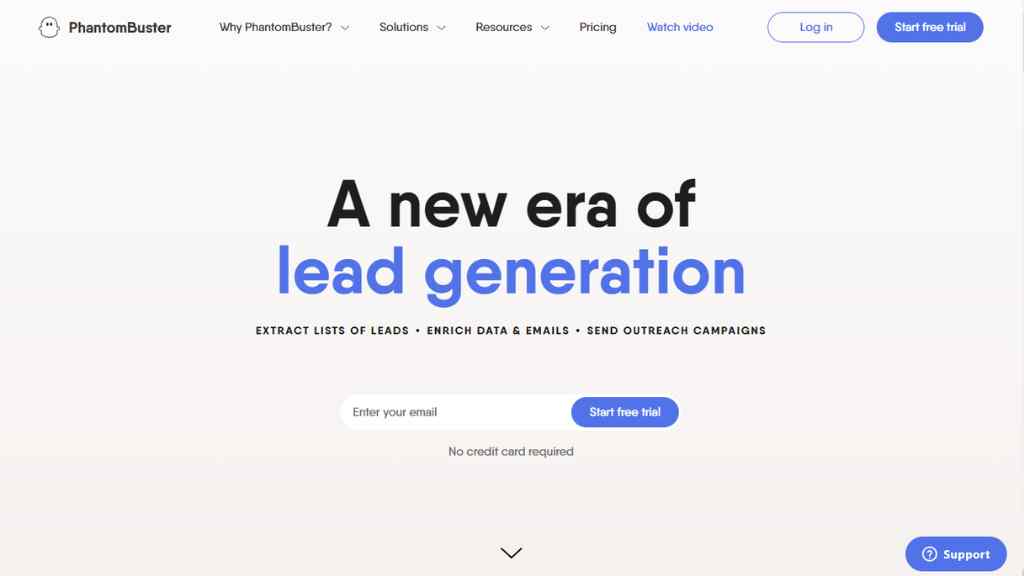
What is PhantomBuster?
PhantomBuster is a potent lead generation tool that comes with 100+ automated actions to help you generate leads from all the major networks and websites.
What are the PhantomBuster Automations?
There are two types of automation available in PhantomBuster, they are known as Phantoms & Flows.
What is a Phantom?
Here Phantom is a little creature that performs a simple automated action. Phantoms are available for many social media platforms and networks and perform the same actions for each network.
It takes input, processes the action, and gives output. Phantoms can scrape profile data, export search results, post comments, give likes, and follow accounts based on automation.
You can choose your required Phantom from the Phantom store and edit its set up and launch it, once it has done its job you can download the data.
What are Flows?
Flows are not individual actions like Phantom, they are multiple automated actions that work in synchronization with each other.
How to use PhantomBuster?
PhantomBuster is very simple and easy to use. You can set up the automation within minutes using its intuitive dashboard.
First, you need to go to the store and select a Phantom or Flows based on your requirements.
Next, add input and specify the action that you would like it to perform, and how often the automated action should be performed by the Phantom/Flows.
Then just hit launch and it will start running the task, once the task is completed you will get the data output file with all the resulting information.
What can you use PhantomBuster for?
You can use PhantomBuster for automating your lead generation process.
You can use it to extract the data of leads from various networks. You can get the contact information of your leads and send outreach campaigns.
Let’s see some network-wise use cases of PhatomBuster –
PhantomBuster LinkedIn Lead Generation
PhantomBuster LinkedIn Search to Lead Connection:
With this flow, you will be able to extract leads from a LinkedIn search, Sales navigator search, or LinkedIn group. You can send them a request to connect (20 invitations can be sent per day) and monitor who accepts your request.
PhantomBuster LinkedIn Search Export:
With this phantom you can scrape and export all LinkedIn search types and get the resulting data as a CSV file, you can set up your LinkedIn automation strategy, set the automation on repeat mode, and grow your leads on a daily basis.
Do not spam people, scrape safely, PhantomBuster recommends processing 1000 search results per day.
PhantomBuster LinkedIn Sales Navigator
PhantomBuster LinkedIn Profile Scraper
Scrape LinkedIn profiles and gather publicly available personal emails or professional emails.
The other Phantombuster features available for LinkedIn are –
PhantomBuster LinkedIn Auto Connect
PhantomBuster LinkedIn Connection Export
PhantomBuster LinkedIn Message Sender
PhantomBuster LinkedIn Company Scraper
PhantomBuster LinkedIn Profile URL Finder
PhantomBuster LinkedIn Group Members Export
PhantomBuster LinkedIn Activity Extractor
PhantomBuster LinkedIn Auto Commenter
PhantomBuster LinkedIn Auto Connection Remover
PhantomBuster LinkedIn Auto Endorser
PhantomBuster LinkedIn Auto Follow
PhantomBuster LinkedIn Auto Invitation Accepter
PhantomBuster LinkedIn Auto Invitation Withdrawer
PhantomBuster LinkedIn Auto Liker
PhantomBuster LinkedIn Auto Poster
PhantomBuster LinkedIn Auto Unfollow
PhantomBuster LinkedIn Company Employees Export
PhantomBuster LinkedIn Company Follow Inviter
PhantomBuster LinkedIn Company Follower Collector
PhantomBuster LinkedIn Company URL Finder
PhantomBuster LinkedIn Connections to Emails
PhantomBuster LinkedIn Events Guest Export
PhantomBuster LinkedIn Event Inviter
PhantomBuster LinkedIn Group Members to Emails
PhantomBuster LinkedIn Inbox Scraper
PhantomBuster LinkedIn Job Scraper
PhantomBuster LinkedIn Join Group Inviter
PhantomBuster LinkedIn Learning Course LIkers Export
PhantomBuster LinkedIn Message Thread Scraper
PhantomBuster LinkedIn New Connection Welcome Message
PhantomBuster LinkedIn Personal Email Extractor
PhantomBuster LinkedIn Post Commenters Export
PhantomBuster LinkedIn Post Commenters to Emails
PhantomBuster LinkedIn Post Likers Export
PhantomBuster LinkedIn Profile Follower Collector
PhantomBuster LinkedIn Profiles to Lemlist Campaign
PhantomBuster LinkedIn Recruiter Profile Scraper
PhantomBuster LinkedIn Recruiter Search Export
PhantomBuster LinkedIn Search to Emails
PhantomBuster LinkedIn Search to Lemlist Campaign
PhantomBuster LinkedIn Search to Profile Data
PhantomBuster LinkedIn Sent Request Extractor
PhantomBuster Sales Navigator Search Export
PhantomBuster Sales Navigator Profile Scraper
PhantomBuster Sales Navigator Account Employees Export
PhantomBuster Sales Navigator Account Scraper
PhantomBuster Sales Navigator Auto Connect
PhantomBuster Sales Navigator Inbox Scraper
PhantomBuster Sales Navigator List Export
PhantomBuster Sales Navigator Message Sender
PhantomBuster Sales Navigator Profile Viewers Export
PhantomBuster Sales Navigator Search to Emails
PhantomBuster Sales Navigator URL Converter
PhantomBuster Facebook Lead Generation
You can use Phantombuster to automate your lead generation process for Facebook also. You can scrape profile, URL, group members, ads, or export likers and commenters and automate it to send messages or perform auto like.
PhantomBuster Features for Facebook are –
PhantomBuster Facebook Group Members Export
PhantomBuster Facebook Auto Liker
PhantomBuster Facebook Message Sender
PhantomBuster Facebook Ads Library Scraper
PhantomBuster Facebook Post Likers Export
PhantomBuster Facebook Post Commenters Export
PhantomBuster Facebook Page Review Extractor
PhantomBuster Facebook Profile Scraper
PhantomBuster Facebook Profile URL Finder
PhantomBuster Instagram Lead Generation
The PhantomBuster solutions for Instagram are –
PhantomBuster Instagram Follower Collector
PhantomBuster Instagram Hashtag Search Export
PhantomBuster Instagram Auto Follow, Auto Liker & Auto Commenter
PhantomBuster Instagram Following Collector
PhantomBuster Instagram Multiple Hashtag Collector
PhantomBuster Instagram Hashtag Search to Post Engagement
PhantomBuster Instagram Photo Likers
PhantomBuster Instagram Notification Extractor
PhantomBuster Instagram Profile Scraper & Post Scraper
PhantomBuster Instagram Post Commenters Export
PhantomBuster Instagram Profile Post Extractor
PhantomBuster Instagram Profile URL Finder
PhantomBuster Instagram Story Extractor
PhantomBuster Instagram Story Auto Watcher
PhantomBuster Instagram Story Viewers Export
PhantomBuster Instagram Tagged Post Extractor
PhantomBuster Twitter Lead Generation
PhantomBuster Twitter lead generation features are –
PhantomBuster Twitter Follower Collector
PhantomBuster Twitter Follower Collector
PhantomBuster Twitter Auto Liker, Auto Poster & Auto Retweeter
PhantomBuster Twitter Following Collector
PhantomBuster Twitter Hashtag Search Export
PhantomBuster Twitter Media Extractor
PhantomBuster Twitter Message Sender
PhantomBuster Twitter Profile Likes Extractor
PhantomBuster Twitter Profile Scraper
PhantomBuster Twitter Profile URL Finder
PhantomBuster Twitter Search Export
PhantomBuster Twitter Tweet Extractor
PhantomBuster Twitter Tweet Likers Export
Also Read – 70+ Twitter tools [Ultimate List for Influencers]
PhantomBuster Google Lead Generation
There are three solutions to generate leads from Google Maps –
PhantomBuster Google Maps Search to Contact Data
PhantomBuster Google Maps Search Export
PhantomBuster Chrome Extension Review Extractor
PhantomBuster Youtube Lead Generation
PhantomBuster Youtube Channel Scraper
PhantomBuster Youtube Video Scraper
PhantomBuster Youtube Channel Video Extractor
PhantomBuster Quora Lead Generation
PhantomBuster Quora Answer Extractor & Post Extractor
PhantomBuster Quora Auto Follow & Auto Upvoter
PhantomBuster Quora Follower Collector
PhantomBuster Quora Profile Scraper
PhantomBuster Quora Related Questions Extractor
PhantomBuster Quora Search Export
Also Read – QApop Review [Quora Marketing Tool]
PhantomBuster Pinterest Lead Generation
PhantomBuster Pinterest Auto Follow & Auto Pin Sharer
PhantomBuster Pinterest Board Follower Collector
PhantomBuster Pinterest Profile Scraper
PhantomBuster Pinterest Profile URL Finder
PhantomBuster Pinterest Search Export
PhantomBuster Medium Lead Generation
PhantomBuster Medium Auto Clapper
PhantomBuster Medium Post Clapper Export
PhantomBuster Medium Search Export
You can also use it for Reddit subreddit post extractor, for Yellow pages search export, for Slack channel user extractor, search export, & message sender.
There are other platforms like Github, Product Hunt, Tiktok, Craiglist, Yell, etc where you can use PhantomBuster.
PhantomBuster can be also used as a domain name finder, session cookie tester, uber billing extractor, and web element extractor.
PhantomBuster Integrations
You can integrate PhantomBuster with popular CRM software like Hubspot, Salesforce & Pipedrive, you can also integrate it with lemlist, hunter, and snov. PhantomBuster is also compatible with Zapier and Integromat.
PhantomBuster Use Cases
You can use PhantomBuster mainly for outreach, data & email enrichment, lead extraction, and social media automation.
PhantomBuster New Features
Live Chat: Now you and your community can chat with the live agents to solve your queries.
LinkedIn Outreach Flow: This is a useful Flow, it can send connection request as well as send follow up messages once the connection has been accepted.
PhantomBuster Expert Coaching Service: You can hire certified PhantomBuster coaches to solve your automation needs.
PhantomBuster Cons
Their customer support is slow and as of writing this post, many people are annoyed with the delay in getting support.
Another thing you should keep in mind is that you should do the automation within the recommended limit because if you overdo it then your Instagram or LinkedIn account may get banned.
PhantomBuster Pricing
The PhantomBuster starter plan costs $50/month (billed annually) with 20h/month execution time, 5 slots for phantoms, priority support, and a bonus of 500 email credits/month.
The price of the Pro plan is $117/month (billed annually) with 80h/month execution time, 15 slots for phantoms, priority support, dedicated expert, and a bonus of 2500 email credits/month.
Large teams or agencies can grab the team plan that costs $335/month (billed annually) with 300h/month execution time, 50 slots for phantoms, priority support, dedicated expert, and a bonus of 10000 email credits/month.
There is no free plan but you can have a free trial for 14 days to explore this lead generation tool.
Conclusion
This is certainly not the best lead generation tool as the existing customers are facing some problems but it is a useful lead generation tool and there is nothing wrong with giving it a try.
Best Email Marketing Software to Generate Massive ROI
Tolstoy Review: Interactive Video Platform to Get More Leads
17+ Best Landing Page Builders to Convert Leads into Customers
Frequently Asked Questions Related to PhantomBuster
Is PhantomBuster Legal?/ Is it safe to use?
Yes, PhantomBuster is legal and it is safe if you stay within the recommended limits.
Which is the PhantomBuster Alternative?
You can use Texau as an alternative to PhantomBuster.