In today’s digital age, online forms have become an integral part of businesses, organizations, and everyday life. Whether you need to collect customer feedback, conduct surveys, or gather information from your website visitors, having a reliable and efficient online form builder is essential.
But with so many options available in the market, choosing the right online form builder can be overwhelming. That’s why I have created this comprehensive list of online form builders to help you navigate through the world of web form builders and make an informed decision.
So, whether you are a business owner, marketer, or simply someone who needs to create online forms, this ultimate list of online form builders will equip you with the knowledge and insights necessary to choose the right online form builder for your specific requirements. Let’s dive in and discover the world of online form builders together!
- Introduction
- Top Online Form Builders
- List of Online Form Builders (More Options)
- Web3 Form Builder
- Whatsapp Form Builder
- Notion Form Builders
- Calculator Form Builder
- HTML Form Builder
- More Web Form Builders/ Online Form Maker Tools
- Importance of Online Form Builders
- Factors to Consider When Choosing an Online Form Builder
- Comparison of Online Form Builders
- Conclusion
Disclosure: This post may contain affiliate links. This means if you click on one of the links and purchase anything I may receive some affiliate commission at no extra cost to you. Thanks in advance for your support.
Introduction
Online form builders have revolutionized the way we collect data, gather feedback, and streamline various processes in today’s digital world.
These powerful tools offer a convenient and efficient way to create and manage online forms without the need for coding skills or technical expertise.
From simple contact forms to complex surveys and registration forms, online form builders provide a user-friendly interface that allows users to design and customize forms according to their specific requirements.
Top Online Form Builders
Now that we have discussed the factors to consider when choosing an online form builder, let’s explore some of the top platforms available in the market.
These online form builders have gained popularity for their user-friendly interfaces, extensive features, and reliable performance. Here are our top picks:
#1. Tally (Easy online form builder)

Tally is the easiest online form builder and my recommended platform in this list of online form builders.
This web form builder works like a doc and it is very easy to create a form for any purpose that you can think of.
It can be used for office uses as well as personal uses, creators can use it to sell products online, and accepting payments.
Marketers can use this online form maker for lead generation, event registration, etc. Product maker can use Tally for collecting feedback, surveys or user interviews.
HR can create job application forms, onboard employees and measure employee engagement.
Tally online form creator gives you features like conditional form logic, answer piping, calculations, hidden fields, file uploading, email notifications, etc.
You can easily share the forms using links or embed the Tally forms to your website or Notion page.
Connect Tally with workflow automation tools like Zapier, Make, etc or integrate it with Notion, Airtable, Slack to automate your workflow process, analyze or export data.
You can organize forms in workspaces, collaborate with your team members, and manage the access rights.
Tally Pricing
This is also the best free online form builder as most of its features are free to use. Those are enough for an individual but the Pro plan gives you better options.
With the Pro plan of Tally form builder you can remove the Tally branding, Inject custom CSS, invite team members to collaborate, send email notifications, host forms on your own custom domain, remove 5% commission on incoming payments and remove the 10MB per file size limit on file uploading.
Tally is the free form creator you are looking for, its Pro plan costs $29/month or $290/year.
Tally offers 30% off on its Pro plan for students, teachers (for 1 year) and non-profit organizations (forever) and 50% off for 1 year for Startups.
#2. Jotform
Jotform is a very popular interactive form builder which you can use to create almost any type of form with their drag & drop form builder.
Jotform Teams features gives you a shared online workspace to manage all your team assets, invite team members & assign them roles, collaborate with them to create forms, tables, apps, reports, etc and improve your workflow process.
Jotform Sign provides you with complete e-signature solution to turn your existing PDFs into e-sign documents, securely gather signatures, and automate the whole document process.
600+ ready made sign templates are available, use them or create new templates with their drag & drop builder, use documents fields, and once it’s ready reuse them again & again,
These documents are embeddable and the e-sing documents are safely & securely stored in popular cloud storages like Google Drive, Dropbox, etc.
Jotform is one of the most secure online form builder as it is compliant with HIPPA, GDPR, CCPA & SOC2 and it comes with 256 bit SSL connection.
Jotform Apps is a no code app builder that lets you create amazing apps in seconds, 300+ app templates are available.
Create your online store and start selling products with Jotform’s online store builder with 30+ payment gateways.
Automate your approval process and track and manage approval flows with Jotform Approvals.
You can create interactive online forms by turning your PDF forms to mobile friendly HTML web forms.
Replace your spreadsheet works with Jotform Tables, visualize and present your data in a beautiful way with Jotform Reports.
This web form creator has so many other useful features like conditional logic, Jotform Inbox, PDF editor, mobile forms, conversational forms, etc.
Jotform Pricing
You can create only 5 forms with the free plan of this web form builder, other features are also very limited.
The Bronze plan costs $34/month (billed annually) with 25 forms, 1000 monthly submissions, 1 GB space, etc.
The pricing for the Silver and the Gold plan costs $39/month and $99/month (both billed annually) with 50 forms and 100 forms respectively with other features.
So Jotform is a feature rich online form creator but it is quite expensive also.
#3. Feathery (Form Builder for Product teams)

Feathery is an online form builder with advance logic that helps you connect scattered databases, simplify login processes and perform data checks.
Feathery is not the easiest form builder, it is suitable for product teams, and if you have used Webflow then you will find the designing somehow similar.
Feathery is useful for creating onboarding, payment, applications, feedback and signup forms.
Fintech, Healthcare and SaaS organizations are already leveraging the power of this web form creator.
The online form generator is suitable for designers, developers and product teams, Feathery provides you features like powerful form logic, fully customizable fields, visual layouts, design system, draft & previews, and extensible developer API.
Whether it is analytics, automation, authentication or payment, data enrichment, communication, or marketing tools, Feathery provides integration to all these type of platforms.
Feathery is SOC 2 certified and HIPPA compliant. If you are a Typeform user then you can migrate your forms to Feathery within seconds using their Typeform migration tool.
Just like other platforms they have also integrated AI into their platform, you need to describe your form, choose your language and number of pages and hit generate to create forms with Feathery AI form builder.
Feathery Pricing
The free plan gives you 100 monthly submissions and 2 live forms, the Basic plan costs $49/month with removal of feathery branding, signature field, custom components, 5 live forms and 1000 monthly unique submissions.
With 10000 monthly unique submissions and 20 live forms, and custom logic and API connectors the Plus plan costs $99/month, The Pro plan costs $190/month with 100000 monthly unique submissions, 100 live forms, and premium integrations.
#4. Fillout (form builder for Notion & Airtable users)
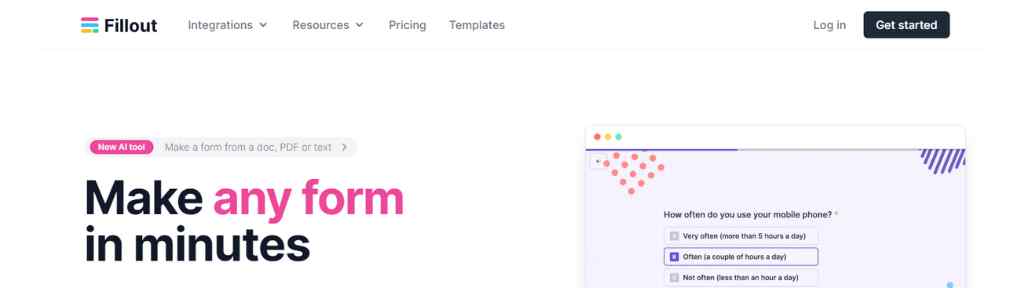
Fillout is another great online form builder to create forms, surverys and quizzes.
Fillout is the online form builder for Google Sheets, Notion, Airtable, Salesforce, and some other tools.
This is a online form builder with database where you can connect your database or store responses and drag and drop questions.
Just like Tally you can embed it anywhere or share it with a link. They provide you 40+ highly customizable question types.
You also get advanced features like multi page forms, powerful conditional logic, scheduling, login and the option to accept payment which is secured by Stripe.
With the Fillout AI form builder you can describe your form, import questions, or upload a pdf and then let ChatGPT create the form for you, customize it easily with their no-code editor.
They have an AI quiz maker and a graph maker also which you can use to create quizzes and charts.
Fillout Pricing
Fillout is another free online form builder which gives you so many features with unlimited forms. But it is restriced to 1000 responses per month with its free forever plan.
It will increase to 2000 responses per month with the Starter plan of $15/month (billed annually), the Pro plan costs $40/month (billed annually) with 5000 responses per month and all branding are removed.
Get unlimited respones and other premium features with the Business plan which costs $75/month (billed annually).
#5. Formly

Formly is a no code form builder to create your on brand forms with your own custom domain.
It acts as a web form builder, quiz maker, survey maker and test maker. you can collect data even in offline mode.
Create simple or complex forms with standard or advanced questions and sync it with Google Sheets, Airtable, Mailchimp, Hubspot, etc.
You can share the forms with links or embed them to your site, share specific form with specific user and view results as graph report.
Formly Pricing
Build 3 forms with the free plan of this online form creator, the Silver plan costs $99 per user per year and the Gold plan costs $149 per user per year. Paid plans gives you unlimited forms.
List of Online Form Builders (More Options)
#6. Heyform

Heyform is another online form builder that helps you create user focused forms to engage users and simplify data collection.
Start from scratch or pick a template then draft your questions, set up conditional logic, and customize style.
Share your form with link, email or QR code or embed it on your website or application.
It is very easy to connect Heyform with productivity and project management tools with its available integrations. Get real time analytics with insightful data.
From Creators, Marketers, Product managers, to HR, Educators or customer support, Heyform is designed for everyone.
Heyform Pricing
This is one of the best free web form builder as individuals & small businesses can create unlimited forms with unlimited submissions, questions and other features.
Enterprises can get its Premium plan that costs $49.9/month.
Web3 Form Builder
#7. Blocksurvey

Blocksurvey is a privacy first form builder mainly focused on web3 companies.
You can generate surveys with AI, own your data without worrying about data leaks or breaches and protect your customer’s/audience’s privacy as there are no ads, trackers, or cookies.
All of your data will be stored and encrypted in your decentralized private storage and only you will be able to access them.
There are 100+ pre-built templates to create forms like waitlist forms, airdrop registration forms, gated whitelist forms, feedback forms for DAOs, etc or create your own custom forms.
Just like various types of forms you can also leverage the power of AI and create secure surveys, surveys with skip logic, branch logic, conditional logic, confidential surveys, white label surveys, etc.
You can create end-to-end encrypted forms & surveys with your own branding, get advanced analytics, make it anonymous and accept payments securely.
BlockSurvey Pricing
Create 3 forms or surveys for free with this privacy friendly, secure online form builder and get up to 30 responses and 10000 AI credits.
Create unlimited forms with 500 responses per month and get 25000 AI credits per month with some other featuers with the Standard plan of $24/month (billed yearly).
The Premium plan costs $40/month (billed yearly) with 3000 responses per month, 50000 AI credits per month and use your own branding and custom domain with this plan.
The team plan with 2 users costs $55/month (billed annually) with 15000 responses per month, 100000 AI credits, team workspace, free migration, etc.
Whatsapp Form Builder
#8. Whatsform

If you are tired of managing spreadsheets & CRM then it is a great platform for you. As this form builders let you collect data of your leads directly to WhatsApp.
Start with their ready to use templates or create a new one with the drag & drop builder, translation to all major languages is available, or convert a Google form.
Share the form with your customers and once they fills in the form and submit it you will receive the data from their WhatsApp number.
With Whatsform you will get genuine leads and the chance to build personal connection with them and open rate of your messages will be better than emails.
WhatsForm Pricing
You can create 5 forms with WhatsForm free forever plan, the Lite plan costs $9/month (billed yearly) & gives you 25 forms.
Most of the premium and useful features comes with the Standard and Plus plans of $18/month and $36/month (both billed yearly) with the option to create 50 and 100 forms respectively.
Notion Form Builders
#9. Noteforms (formerly Notionforms)
Notion is probably the most used note taking app or productivity tool or project management platform, whatever you call it you may have already heard about it if you are not a user already.
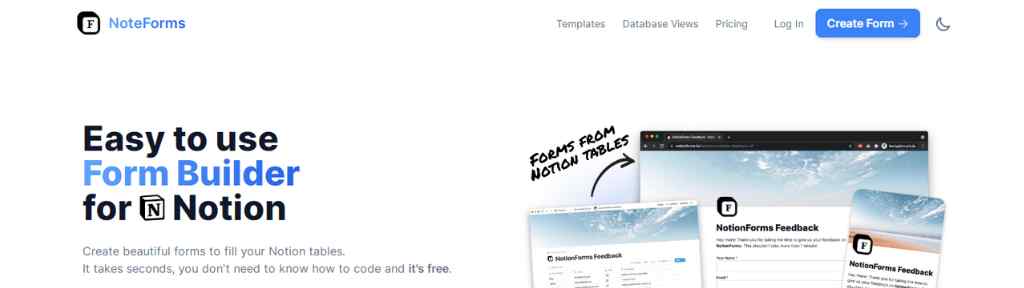
Noteforms lets you create beautiful forms to fill your Notion databases. This Notion form builder is absolutely free as it is now an official Notion integration.
You will get infinite number of fields, forms and responses, and integrate it anywhere (on your site or Notion page).
To create a form register an account in Noteforms then connect it with your Notion workspace, create a database and then create a form using the database. You can filter databases, sort your data, hide columns, or make it password protected, and once its done share it everywhere.
Noteforms Pricing
Although the core features of this form builder for Notion is free to use but it does have paid plans with premium features and increase in the size of file uploading limit.
Its Pro plan costs $20/month while the Enterprise plan costs $50/month (both when billed yearly).
#10. Chilipepper

Chilipepper is another simplistic form builder for Notion. Create forms with it and send responses directly to Notion.
Embed Chilipepper forms on any Notion page whether its public or private & customize it as per your requirements.
Chilipepper is a free Notion form builder the Premium plan lets you remove Chilipepper branding and gives you 30 fields per form with the cost of $5/month.
Calculator Form Builder
#11. ConvertCalculator

This is a very useful interactive form builder for lead generation, higher conversion and competitive advantage.
This calculator form builder has wide array of use cases, using this tool you can create estimate forms, booking forms, price quote calculators, finance calculators, ROI calculators, etc.
You can create multi page forms, use it as a sales funnel builder, add signature element, coupon elements, show or hide logic and accept payments easily.
Buy creating websites, forms, landing pages and apps you can retain your audience on your site for a longer duration which in turn may help you in SEO, so Convertcalculator also works as a SEO content optimization tool.
It is compatible with all major platforms like Webflow, WordPress, Hubspot, Unbounce, SquareSpace, etc.
ConvertCalculator Pricing
You can use this awesome calculator form builder for free with all platinum features but with only 100 visits per month.
The Pro plan costs $35/month (billed annually) and gives you 10000 visits, 200 submissions & 1 MB file upload limit.
The Premium plan costs $65/month (billed annually) with 50000 visits, 1000 submissions & 10 MB file upload limit.
The Platinum plan gives you 300000 visits, 10000 submissions, 100 MB file upload limit, custom domain, layered images results, etc with the cost of $100/month (billed annually).
HTML Form Builder
#12. Formcarry

Formcarry is actually a form backend or endpoint which allows you to collect submissions form your own HTML forms.
It works with all popular development frameworks like HTML, jQuery, React & Vue. Upload your files easily, get email notifications when your form receives any new submission.
Set up back end validation rules and auto responses with their built in templates or using your own codes.
1000+ integrations are available and there are no team limits, they also provides you best in class spam protection and you can collect payments using Stripe.
Formcarry Pricing
All plan comes with unlimited forms but the pricing is mainly based on submissions and file uploading limits. The Starter plan gives you 500 submissions/month for the cost of $60/year while the Growth plan costs $480/year and gives you 10000 submissions/month.
More Web Form Builders/ Online Form Maker Tools
Typeform (Online Form to Avoid)
Typeform is known for its visually stunning and interactive forms that provide a unique user experience. Its modern and sleek design, coupled with a user-friendly interface, makes it a popular choice for creating engaging online surveys, quizzes, and feedback forms.
Typeform offers a wide variety of question types, including multiple-choice, dropdowns, and rating scales, allowing you to gather specific information from your respondents.
One of the standout features of Typeform is its conversational form-building approach. Instead of presenting all the questions on a single page, Typeform takes respondents through a step-by-step process, making it feel more like a conversation. This interactive approach increases user engagement and enhances the overall form completion rate.
In terms of integrations, Typeform connects seamlessly with popular tools such as Google Sheets, Mailchimp, and Slack. This enables you to automate data transfer and streamline your workflow.
Typeform also provides powerful analytics and reporting features, allowing you to gain insights from form responses and track user behavior.
Despite having such features Typeform has lost its fame, the customers are not happy with their services and the price is also very high. So I recommend you to avoid this online form creator.
Wufoo
Wufoo is an online form builder known for its simplicity and ease of use. With its drag-and-drop interface and intuitive design, creating forms is a breeze.
Wufoo offers a variety of form fields, including text fields, radio buttons, checkboxes, and dropdown menus, allowing you to customize your forms to suit your specific needs.
One of the standout features of Wufoo is its extensive customization options. You can easily modify the appearance of your forms by applying themes, colors, and fonts to match your brand identity.
Wufoo also provides advanced features such as conditional logic and form rules, enabling you to create dynamic and interactive forms.
Wufoo integrates seamlessly with popular applications like Salesforce, Mailchimp, and PayPal, allowing you to automate data transfer and streamline your workflow. It also provides robust reporting features, allowing you to analyze form submissions and generate detailed reports.
Wufoo lets you create 5 forms for free, the paid plans starts at $14.08/month (billed $169 annually) while the highest plan costs $183.25 (billed $2199 annually).
Gravity Forms
Gravity forms is one of the best WordPress form builder which helps you creating forms with its visual form editor. You can upload files, set up conditional logic and collect payments.
Their WordPress form management plugin provides you secure data collection and are WCAG 2.1AA compliant.
Integrate Gravity forms with other useful tools and create professional responsive online forms which are also developer friendly.
The Basic License plan costs $59/year for 1 site while the popular Elite License costs $259/year for unlimited sites. They also have a Pro License of $159/year for 3 sites.
OpnForm – Create unlimited forms with unlimited form builders with open source form builders.
Forms.app – This is not just an online form maker tool, it is also quiz maker, survey maker, store builder and AI form generator, you can use its WordPress plugin and use it as a WordPress form builder.
Florm.app – This is a GDPR compliant no-code form builder to create branded, logic driven forms, surveys and data collection workflows with 6500+ available integrations.
MightyForms – This web form creator helps you recover abandoned leads, collecting payments, generating PDFs and gathering all your analytical data in one place.
Formsly.app – You can create fully responsive beautiful forms in minutes using this powerful visual form & survey builder.
Tripetto – It gives you fully customizable components for equipping your apps or websites with form building and deploying solution.
Formsort – This is a useful form builder for healthcare industry. Engineers, designers and content strategists can also get benefitted by using this product form builder.
Paperform – It helps you create forms, surveys, bookings, e-signatures, payment collection, etc. But it has mixed reviews among its customers.
Zoho Forms – Efficiently manage your data collection by creating forms with Zoho online form builder, get useful analytics and stay informed with instant notifications.
Importance of Online Form Builders
The importance of online form builders cannot be overstated, as they offer numerous benefits for individuals and businesses alike.
First and foremost, these tools simplify the process of creating professional-looking forms, eliminating the need for manual data entry or cumbersome paper-based systems.
Online forms can be easily shared via email, embedded on websites, or shared through social media channels, making it effortless to reach a wide audience.
Online form builders also contribute to better data management and organization by automatically collecting and storing responses in a centralized database.
This eliminates the hassle of manually sorting through piles of paper forms or scouring through overflowing email inboxes.
With online form creators, you can easily access and analyze data, generate reports, and gain valuable insights to drive informed decision-making.
Moreover, online form builders offer advanced features such as conditional logic, which allows you to create dynamic forms that adapt to user responses.
This ensures a personalized and interactive experience for form respondents, making it more engaging and increasing the likelihood of receiving accurate and relevant information.
Factors to Consider When Choosing an Online Form Builder
When it comes to selecting the right online form builder for your needs, there are several crucial factors to consider. Each platform has its own strengths and weaknesses, so it’s essential to evaluate these factors to ensure you make an informed decision. Let’s explore these factors in detail:
Ease of Use
One of the primary considerations when choosing an online form builder is its ease of use. A user-friendly interface and intuitive design are essential for both beginners and experienced users.
Look for the easiest online form builders that offer a drag-and-drop functionality, allowing you to effortlessly add and arrange form fields, customize layouts, and design visually appealing forms.
Additionally, consider the learning curve associated with the platform. Does it provide comprehensive documentation, tutorials, or customer support to assist you in navigating through the features?
Having access to resources that help you make the most of the platform’s capabilities can significantly enhance your overall experience.
Form Features and Functionality
The features and functionality offered by an online form maker tools are crucial to creating dynamic and interactive forms.
Consider the range of form field types available, such as text fields, checkboxes, radio buttons, dropdown menus, file uploads, and more. The more diverse the field types, the better you can tailor your forms to suit your specific needs.
Another essential aspect is the availability of conditional logic. This powerful feature enables you to create forms that adapt based on user responses. For example, you can show or hide certain form fields based on previous answers, making the form more personalized and relevant for respondents.
Integration with other tools is also worth considering. Does the online form builder offer seamless integration with popular applications such as CRM systems, email marketing platforms, or project management tools?
This can streamline your workflow by automatically syncing form submissions with your preferred tools, eliminating manual data entry and saving you time.
Pricing and Plans
Pricing is a significant factor when choosing an online form builder. Different platforms offer various pricing models, including free plans, paid subscriptions, and enterprise-level options. It’s important to evaluate your budget and determine the features and capabilities you require.
Free plans can be a good starting point for individuals or small businesses with basic form needs. However, be aware of any limitations or restrictions that may come with the free version, such as limited form submissions, branding, or access to advanced features.
Paid plans typically offer more advanced features, increased form submissions, and enhanced customization options. Consider the pricing tiers and compare them to the features offered. It’s important to find a balance between cost and value for money.
Value for money is a critical aspect to evaluate when considering the pricing of an online form creator. Take into account the overall functionality, customer support, and the benefits the platform offers. Ensure that the pricing aligns with the value you will receive from using the form builder.
By considering the factors of ease of use, form features and functionality, and pricing and plans, you will be better equipped to choose the right web form builder that meets your specific requirements.
Comparison of Online Form Builders
Now that we have explored some of the top online form builders, it’s time to compare them based on various factors. This comparison will help you make an informed decision by evaluating their features, pricing, and user reviews. Let’s dive into the comparison:
Feature Comparison
When comparing online form builders, it’s crucial to consider the features they offer. The availability of specific features can greatly impact the functionality and usability of the platform.
Here are some key features to compare:
Form Customization
Evaluate the level of customization each platform provides. Consider factors such as the ability to add custom branding, apply themes or templates, and modify the appearance of your forms to match your brand identity.
Integration Options
Examine the integration options available for each platform. Look for seamless integration with popular applications such as CRM systems, email marketing tools, payment gateways, and project management software. The ability to connect your form builder with other tools can streamline your workflow and enhance productivity.
Advanced Features
Consider the availability of advanced features such as conditional logic, form branching, file uploads, and the ability to create multi-page forms. These features can significantly enhance the functionality of your forms and provide a more tailored experience for respondents.
Pricing Comparison
Pricing is an important factor to consider when choosing an online form builder. While some platforms offer free plans, others have tiered pricing options or require a subscription. Here are some aspects to consider when comparing pricing:
Free Plans
Evaluate the limitations and restrictions of the free plans offered by each platform. Look at factors such as the number of forms you can create, the number of form submissions allowed, and any branding or feature limitations.
Paid Plans
Compare the pricing tiers and the features included in the paid plans. Consider factors such as the number of forms, form submissions, and advanced features available. It’s important to find a pricing plan that aligns with your specific needs and budget.
Value for Money Comparison
Assess the overall value for money that each platform offers. Consider the features, integrations, customer support, and user experience provided by each platform. It’s important to find a balance between cost and the value you will receive from using the form builder.
Conclusion
In this comprehensive list of online form builders, we have explored the world of web form builders, covering various aspects from their importance to factors to consider when choosing one.
We have discussed the benefits of using online form builders, such as simplifying data collection, enhancing data management, and improving user engagement.
It’s important to remember that the “best” online form builder for you will depend on your specific requirements, preferences, and budget.
What works for one person or organization may not necessarily work for another. Therefore, it’s crucial to evaluate your needs and thoroughly research each platform before making a decision.
My recommended online form builder is Tally but I encourage you to also explore the other platforms mentioned in this guide, test their features, and consider their suitability for your specific needs.
Like if your business is based on Whatsapp then you can use Whatsform or if you are an avid Notion user then go with Noteforms, if you want to convert your leads into customers using calculator forms then try out ConvertCalculator, if your main concern is security & privacy then opt for Blocksurvey, etc.
Thank you for joining me on this journey through the world of online form builders. I hope this guide has provided you with the knowledge and insights to make an informed decision. Good luck with your form-building endeavors!
Finding the right online form builder can be overwhelming, but I appreciate this comprehensive list. It really helps narrow down the choices!
The diverse range of form builders mentioned is really helpful. It’s interesting to see how each tool caters to different needs and preferences.
Choosing the right online form builder can really streamline feedback collection, especially for small businesses.
I appreciate the thorough overview of various form builders; it’s useful to see such a comprehensive comparison in one place.
The importance of choosing the right online form builder cannot be overstated, especially when collecting customer feedback.