Rowshare is a spreadsheet tool designed especially for managing projects and organizing administrative tasks. You can collaborate confidentially using this spreadsheet platform.
RowShare, the all-in-one solution for small to medium-sized businesses and specific departments of larger organizations, promises to revolutionize HR, project management, and sales processes.
In this Rowshare review, we explore how this software aims to streamline and automate operations while adding that essential human touch.
Disclosure: This post may contain affiliate links. This means if you click on one of the links and purchase anything I may receive some affiliate commission at no extra cost to you. Thanks in advance for your support.
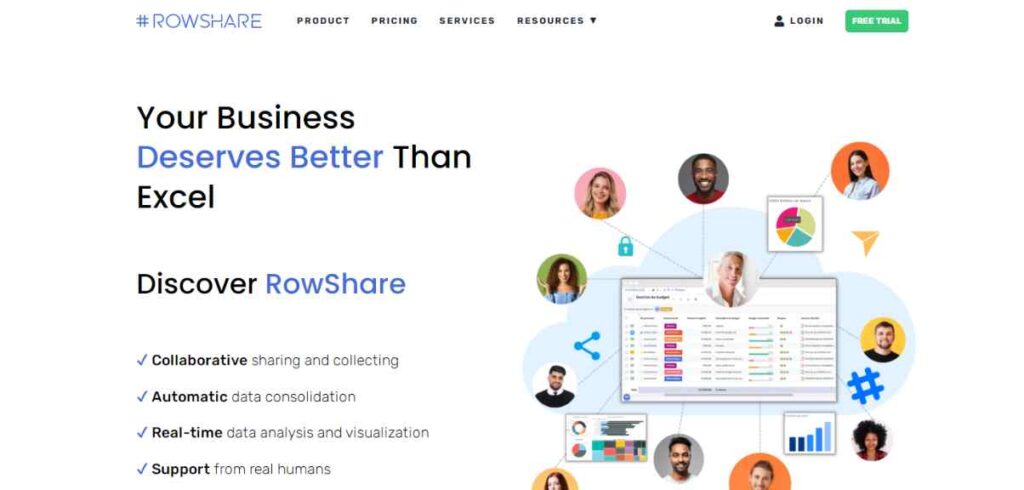
If you’re tired of juggling multiple tools to manage different aspects of your business, RowShare could be the game-changer you’ve been waiting for.
With a focus on efficiency and ease of use, this software aims to simplify your daily tasks and improve overall operational management.
One of the standout features of RowShare is its adaptability to businesses of various sizes. Whether you run a startup or manage a department in a larger enterprise, RowShare promises to cater to your specific needs.
For HR managers, project leads, and sales teams, the automation capabilities of RowShare are truly a lifesaver.
Say goodbye to time-consuming manual processes and welcome a more efficient way to handle your daily operations.
While automation is essential, RowShare understands the value of the human touch. Its user-friendly interface and intuitive design make it easy for your team to adapt and embrace this new solution seamlessly.
Also Read – Best Workflow Automation Tools & Zapier Alternatives
If you’re looking to make a smooth transition to a more efficient operational management system, RowShare could be the key to unlocking a new level of productivity and collaboration in your business.
Let’s delve deeper into the world of RowShare and see how it can transform your workflow and bring that much-needed human touch to your daily processes.
As a user exploring RowShare, I must say I’m impressed by the vast range of ready-to-use templates. With just a few clicks, I can customize these tables to perfectly fit my specific needs and streamline my workflows effortlessly.
One of the standout features for me is the ability to share my spreadsheets without compromising sensitive information.
With RowShare, I have complete control over who sees what, line by line, and can manage access settings easily for groups or individuals.
The convenience of accessing my spreadsheets on the go through the mobile version is a game-changer. No matter where I am, I can access valuable information and gather relevant data, keeping my work on track even when I’m away from my desk.
The integration with hundreds of applications is a huge plus. With seamless connections to my favorite tools, I can now process data more powerfully and efficiently than ever before.
And if I’m using Microsoft Teams for collaboration, the RowShare App available on Teams makes accessing and modifying spreadsheets a breeze.
The time-saving aspect of generating custom documents using pre-designed templates and data from my tables is remarkable.
It eliminates the need for tedious copying and pasting, especially when dealing with contracts, reports, and other official documents.
Visualizing data has never been easier! With just a few clicks, I can transform my data into eye-catching charts, group them by categories, create dynamic visuals, and even generate pivot tables.
Plus, the option to connect RowShare with my familiar reporting platform adds even more flexibility to my data analysis.
Finally, the task assignment feature is a lifesaver for keeping track of projects and workflows. It ensures that everyone knows their responsibilities, and I can easily maintain an up-to-date overview of progress and tasks.
Rowshare Pricing
The Team plan of Rowshare costs $100/year with limited features of 10 tables and 1 GB of storage.
The Corporate plan costs $200/year with 100 tables and 10 GB of storage and the Enterprise plan costs $300/year with 500 tables and 50 GB of storage with other essential features.
Conclusion on Rowshare Review
Overall, RowShare has truly streamlined my work processes, enhanced collaboration, and saved me valuable time.
If you’re looking for a user-friendly, versatile, and efficient solution, RowShare is definitely worth exploring!
Geekbot Review: Streamline Your Slack or MS Teams Workflow
InboxPro Review: Boost Your Gmail Productivity With AI+Automation
Convolo AI Review: AI Powered Tool for Lead Generation & Customer Engagement