Every conversation you’re not capturing is knowledge you’re losing.
Whether it’s a sales call with a hot prospect, a podcast interview you spent two weeks booking, a lecture you’ll never hear again, or a deposition that could swing a case — the audio disappears the moment it ends.
The best speech to text tools fix that. The best transcription tools or software for transcription go further: they turn what was said into something searchable, actionable, and shareable.
The challenge is that “transcription tool” covers an enormous range — from a $10/month unlimited file converter to a HIPAA-compliant, evidence-grade legal intelligence platform.
A meeting notetaker that auto-joins your Zoom calls is a very different product from a broadcast captioning system or a multilingual subtitle generator.
Picking the wrong one doesn’t just waste money — it creates a workflow that fights you every time you use it.
We’ve reviewed some of the best speech to text tools and transcription tools across every major use case — meetings, media production, legal, research, accessibility, and developer APIs — so you can find the one built for exactly the job you need it to do.
Disclosure: This post may contain affiliate links. This means if you click on one of the links and purchase anything I may receive some affiliate commission at no extra cost to you. Thanks in advance for your support.
Top 3 Software for Transcription
Transkriptor
Best for professionals, students, and enterprise teams who need accurate, AI-powered transcription across 100+ languages — with a searchable knowledge base built from every recording they’ve ever made.
1. What it specializes in
Transkriptor converts audio to text with AI-powered transcription for meetings, audio files, and video in 100+ languages — covering everything from Zoom calls and Google Meet sessions to uploaded MP3s, MP4s, YouTube videos, and WhatsApp voice messages. Trusted by teams at Siemens, Pfizer, KPMG, PwC, Harvard, and Microsoft.
2. Accuracy & Language Support
Transkriptor claims 99% transcription accuracy — backed by a 4.8/5 rating on both Trustpilot and Capterra, and 4.7/5 on G2 across thousands of reviews.
It supports 100+ languages with translation also available into 100+ languages post-transcription, plus automatic speaker diarization that identifies and labels each speaker in multi-person recordings.
3. Pricing Model
A free tier offers 90 minutes of transcription. Lite is $9.99/month for 300 minutes. Pro is $19.99/month (or $8.33/month billed annually) for 2,400 minutes, AI summaries, AI chat, and a knowledge base.
Team is $30/month/seat ($20 annually) for 3,000 minutes/seat, custom vocabulary, sentiment analysis, and call analytics. Bulk plans go from 100 hours at $60/month up to 1,000 hours at $600/month, with 50% off for students and educators.
4. Standout Feature
Ask Transkriptor instantly searches every meeting transcript in your library to find decisions, action items, quotes, and answers with cited sources — across 100+ languages, turning months of recordings into a searchable, queryable knowledge base. No other tool on this list offers anything close to this level of cross-file AI search intelligence.
5. Limitation / Verdict
The 90-minute free tier is quite limited for regular use, and unused minutes expire monthly — no rollover.
The Lite plan’s 300 minutes/month (~5 hours) may feel tight for heavy users before needing to upgrade to Pro. That said, at $8.33/month annually for 2,400 minutes and full AI features, Pro is one of the best-value STT plans available.
⭐⭐⭐⭐½ — A polished, enterprise-trusted platform with standout AI intelligence features. The best pick for anyone who needs their transcripts to do more than just sit in a folder.
HappyScribe
Best for journalists, researchers, and production teams who need the closest thing to a human transcriber — but with AI speed — especially across non-English languages and accents.
1. What it specializes in
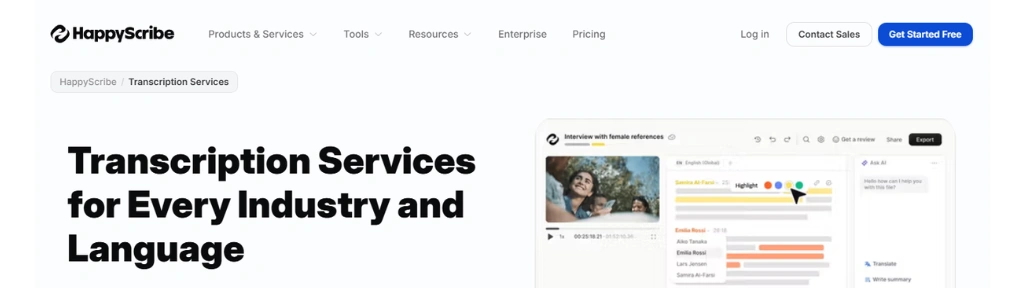
HappyScribe offers both AI and human transcription services in 150+ languages and accents, covering audio files, video files, YouTube links, meeting recordings from Zoom, Google Meet and Microsoft Teams, and everything in between — trusted by 6M+ users and 41,000+ teams. The platform serves journalists, researchers, podcasters, production teams, and e-learning creators under one roof.
2. Accuracy & Language Support
AI transcription supports 150+ languages, while expert linguists deliver human-made transcription in 65+ languages — with translation into 80+ languages on top.
The optional human proofreading add-on, available on any plan from $2.00/minute, is the industry’s clearest answer to the accuracy ceiling of AI alone — making HappyScribe the only tool on this list where you can go from AI draft to professionally reviewed transcript without ever leaving the platform.
3. Pricing Model
Free: Unlimited meeting recordings (45-min cap per recording), 10-minute AI transcription trial, 3 AI Chat files/month. Basic: $8.50/month annually (120 AI minutes/month, 1 seat).
Pro: $19/month annually (600 AI minutes/month, 3 seats, unlimited AI Chat). Business: $59/month annually (6,000 AI minutes/month, 5 seats, unlimited glossaries and style guides). Additional credits top up at $0.20/minute on any plan.
4. Standout Feature
On Pro and above, you can choose your AI model for transcript analysis — including Claude, ChatGPT, Mistral, and GLM — a genuinely rare feature in the STT category that lets you match the analytical engine to the task.
Pair that with custom glossaries and style guides that keep AI transcription consistent with your brand, terminology, and preferred spellings, and HappyScribe becomes a production-grade platform, not just a transcription widget.
5. Limitation / Verdict
Plan credits reset monthly with no rollover — only manually topped-up credits carry forward, which penalises inconsistent users and rewards heavy ones.
The free tier’s 10-minute AI trial is too limited for any real evaluation of quality. That said, HappyScribe is rated 4.7/5 on Trustpilot with consistent praise for accuracy and ease of use.
⭐⭐⭐⭐½ — The most complete STT platform for professional teams who care about language breadth, editorial quality, and the option to escalate to a human when accuracy really counts.
Sonix AI
Best for legal, healthcare, and enterprise teams that need audit-ready, structured transcripts they can defend in a court, clinic, or boardroom — with the compliance stack to back it up.
1. What it specializes in
Sonix transcribes audio and video to text in minutes with 99% accuracy across 49+ languages, with AI summaries and speaker detection — with dedicated vertical tracks for legal and court reporting, HIPAA-compliant medical transcription, enterprise and government, and media production.
Trusted by teams at Google, Stanford, ESPN, NBC Universal, the New York Times, Harvard, Warner Bros, Adobe, and Microsoft, and built with a zero-training policy on customer data.
2. Accuracy & Language Support
Sonix claims 99% transcription accuracy, backed by a 98% customer satisfaction rate and a 4.8 average rating across review platforms.
54+ languages are supported for transcription, with translation into 55+ languages — narrower than HappyScribe or Transkriptor in raw language count, but Sonix’s accuracy claim is specifically positioned against other AI tools whose industry average they cite at 85–90%.
3. Pricing Model
Pay As You Go: $10/hour — no subscription required. Core: $25/month (5 hrs/month, 1 user, 25 GB storage). Advanced: $50/month (20 hrs/month, 50 GB). Pro: $80/month (40 hrs/month, 100 GB, priority support). Additional hours on any plan cost $10/hour.
A 30-minute free trial with no credit card is included. Enterprise pricing is custom with SSO, SCIM, audit logs, 1TB storage, and a dedicated account manager.
4. Standout Feature
Multi-transcript AI Analysis lets you ask questions across entire folders of transcripts to surface insights no single conversation reveals — turning an archive of interviews, depositions, or meeting recordings into a queryable intelligence layer.
Every conversation is also structured as a dataset — including named speakers with time-aligned labels, topics and sections, key statements, decisions, action items, and metadata — not just a wall of text.
For legal and medical teams specifically, Sonix is one of the few STT platforms with both HIPAA compliance and a dedicated medical transcription model baked into every plan.
5. Limitation / Verdict
Translation is charged at the same rate as transcription — an extra $10/hour on top of your plan — which adds up fast for multilingual workflows.
All subscription tiers include only one user seat by default, with additional seats billed at $25/month each, making team pricing meaningfully more expensive than the headline plan price suggests.
That said, the Pay As You Go option is the most flexible entry point on this list for occasional users who don’t want a subscription at all.
⭐⭐⭐⭐½ — The most compliance-hardened, enterprise-ready STT platform in this roundup. If legal defensibility, medical-grade accuracy, or multi-transcript intelligence are on your requirements list, Sonix is the clearest choice.
More Transcription Software
AmberScript
Best for European media companies, broadcasters, universities, and regulated industries that need a GDPR-compliant, ISO-certified transcription partner — with a human expert layer and a full media localisation service built in.
1. What it specializes in
Europe’s trusted partner for secure transcription and subtitling, Amberscript combines machine-made transcription (90%+ accuracy, 90+ languages) with human-made transcription (99%+ accuracy, 18+ languages) — plus machine and human subtitles, translated subtitles, a speech-to-text API with custom model support, data annotation, and a full end-to-end media localisation division (Amberscript Media) covering subtitles, voice-over, dubbing, translation, audio description, and content distribution.
Trusted by the BBC, Disney+, Warner Bros, National Geographic, TF1, ZDF, Arte, Fremantle, PwC, Microsoft, Philips, UNICEF, and dozens of European universities and governments.
2. Accuracy & Language Support
Machine-made transcription delivers 90%+ accuracy in 90+ languages — a refreshingly honest benchmark compared to competitors claiming 99% across the board.
Human-made transcription by native-speaking language experts delivers 99%+ accuracy in 18+ languages, with clean read, verbatim, and clean verbatim transcription styles available. Rush delivery within one business day is an option for time-sensitive projects.
3. Pricing Model
Machine-made plans: Starter at €19/month (5 hrs), Pro at €29/month (10 hrs), Power at €49/month (25 hrs). Annual billing saves 17% — €190/year (60 hrs), €290/year (120 hrs), and €490/year (300 hrs).
One-time credit packs start at €10/hour, with volume discounts up to 40% off at 50+ hours. Human-made transcription starts from €1.85/minute; human-made subtitles from €4.40/minute. Note: pricing is in EUR, not USD. Unused monthly hours do not roll over.
4. Standout Feature
Amberscript is the only tool on this list carrying the full European compliance triple — ISO 27001 and ISO 9001 certified, fully GDPR compliant, and TPN badged for top-tier content security — with all files stored on EU servers.
For broadcasters, media companies, and regulated industries handling sensitive or proprietary content, this stack isn’t a nice-to-have; it’s a prerequisite.
The Amberscript Media division adds another layer entirely, making it the one platform where you can go from raw audio to fully localised, accessibility-compliant, platform-ready media content without switching vendors.
5. Limitation / Verdict
Machine-made accuracy sits at “90%+” rather than the 99% claimed by Sonix and Transkriptor — a more conservative but arguably more trustworthy positioning, though it does mean the AI output may need more human editing than some alternatives.
Pricing in EUR can add friction for non-European users, there’s no free-forever tier, and human-made language coverage (18+) lags well behind the machine layer (90+).
⭐⭐⭐⭐½ — The most compliance-hardened, Europe-native transcription platform in this roundup. If your content is sensitive, your industry is regulated, or your audience is European, Amberscript is the clearest first call on this list.
Clipto
Best for content creators, podcasters, and social media teams who want truly unlimited AI transcription — with no minute caps, no hour limits, and one flat monthly price.
1. What it specializes in
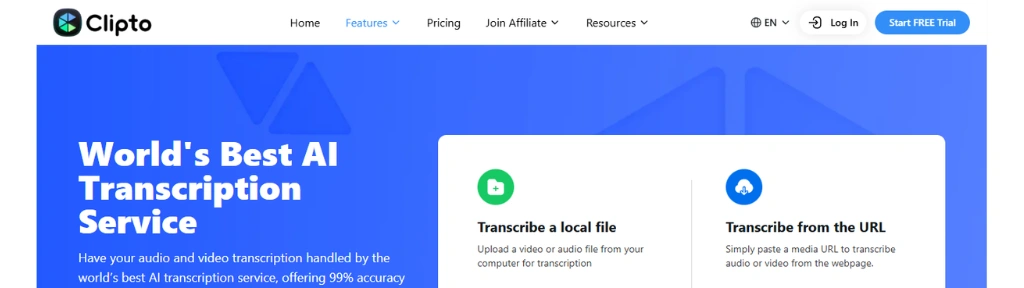
Clipto is an AI-powered transcription service handling audio and video files with 99% accuracy in over 99 languages, built for individual creators and teams who need to transcribe at volume without watching a usage meter — including social-first content from YouTube, TikTok, and Instagram, alongside traditional audio, podcasts, lectures, interviews, and meetings.
2. Accuracy & Language Support
Clipto claims 99% transcription accuracy across 99+ languages with automatic speaker identification built in. Simultaneous transcription and translation is supported — meaning you can transcribe a Spanish recording and receive an English transcript in one step — a time-saving workflow not all competitors offer out of the box.
3. Pricing Model
A 7-day free trial is included with no credit card required. The annual plan is $12.49/month (billed $149.88/year, 50% off the monthly rate).
The monthly plan is $9.99 for the first month, then $24.99/month thereafter. Both plans include unlimited transcription, 99+ language support, speaker identification, AI summaries, access to advanced models, and video analysis up to 6 hours long.
There is no free-forever tier and no usage-based or pay-as-you-go option.
4. Standout Feature
Unlimited video and audio search via Clipto’s Knowledge Library is the feature that separates it from minute-capped competitors — every transcribed file becomes a searchable, queryable asset in your library.
Pair that with automatic people tagging and a custom voice library that learns to identify your recurring speakers, and Clipto starts functioning more like a media asset management system than a plain transcription tool.
Export options extend to Final Cut Pro and Adobe Premiere project formats — an unusually practical touch for video producers.
5. Limitation / Verdict
Clipto is notably light on enterprise compliance credentials — no SOC 2, HIPAA, ISO 27001, or GDPR certifications are mentioned anywhere on the site, which makes it a harder sell for regulated industries handling sensitive content.
The monthly pricing structure is also unusual — the $9.99 first-month offer that jumps to $24.99 thereafter may catch casual users off guard.
There’s also no human transcription add-on if accuracy on difficult audio falls short. That said, for creators and teams who simply need high-volume, unlimited transcription at a predictable price — with social media platform support and a clean editor — it delivers straightforwardly.
⭐⭐⭐⭐ — The simplest unlimited-transcription proposition on this list, especially appealing for content teams transcribing at scale who don’t want to do per-minute math every month.
Txtplay AI
Best for media companies, broadcasters, and enterprise teams that need both file-based transcription and real-time live captioning for streaming or broadcast TV — with an on-premise deployment option for maximum data privacy.
1. What it specializes in
Txtplay transforms media into text and subtitles using AI-powered speech recognition, offering accurate transcripts in 55+ languages for businesses across media, small business, enterprise, academia, government, healthcare, banks, customer service, and sales — with a distinctly broadcast-first product range that extends well beyond file transcription into live streaming and linear TV captioning, a combination rarely found in a single platform.
2. Accuracy & Language Support
55+ languages are supported across transcription and translation simultaneously — upload content in one language and receive a translated transcript in another in the same workflow.
Speaker labeling and automated diarization are included, with an in-browser editor that syncs your media to the transcript for precise timestamp-level navigation while editing.
3. Pricing Model
Pay As You Go: €25/hour with no subscription required — including multi-user access, shared folders, speaker labeling, in-browser editor, diarization, and 10+ export formats for both text and video.
Enterprise and Live Captioning plans are quote-based, unlocking phone support, a dedicated account manager, user training, tailored speech models, custom-built integrations, on-premises deployment, and a 12-month lifespan on each credit bucket. A free account is available to get started without a credit card.
4. Standout Feature
Live captioning is Txtplay’s true differentiator — and it goes deeper than a meeting bot. The platform offers live captioning for web and OTT streaming with ready-made subtitle blocks displayed in perfect timing with the speaker — the same experience for viewers as with video-on-demand — as well as live captioning for linear TV broadcast.
Add to this a full on-premise installation option for teams that can’t send audio to the cloud, and integrations with broadcast-specific platforms — IBM, Kaltura, Brightcove, TwentyThree, Vimeo, and Twitch — alongside Zoom and Microsoft Teams, and Txtplay becomes one of the few tools on this list genuinely built for broadcast-grade accessibility compliance including 608 and 708 closed captioning standards.
5. Limitation / Verdict
The €25/hour pay-as-you-go rate is the steepest on this list by a significant margin compared to Sonix ($10/hour) or Amberscript (€10/hour), and Enterprise and Live Captioning pricing requires a sales conversation with no published figures.
There’s also no AI meeting notetaker, no cross-transcript search intelligence like Transkriptor’s Ask AI, and no publicly stated compliance certifications (SOC 2, HIPAA, ISO 27001).
For general transcription at volume, cheaper and better-featured alternatives exist. But for teams that specifically need live streaming captions, broadcast TV integration, or an on-premise deployment that never leaves their infrastructure — Txtplay is the most purpose-built option on this entire list.
⭐⭐⭐⭐ — A niche but genuinely specialist platform; overpriced for casual transcription, highly compelling for broadcast and media accessibility use cases.
Cockatoo
Best for content creators, educators, and individual professionals who want a clean, fast, no-fuss transcription tool with subtitle export — without paying for features they’ll never use.
1. What it specializes in
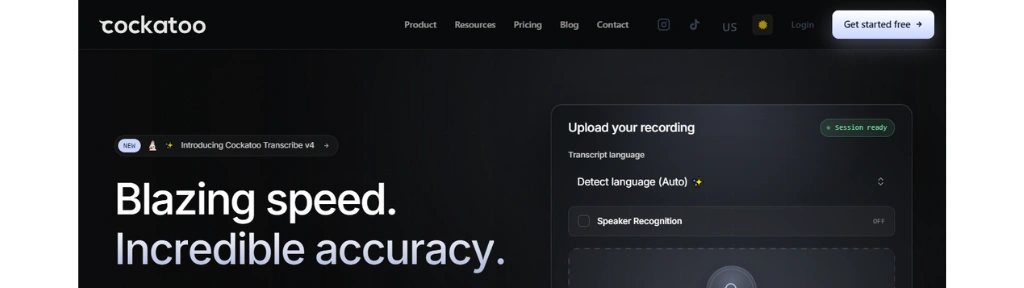
Cockatoo is a web-based AI transcription service for content creators, educators, business professionals, and teams that need fast, accurate text from audio and video.
It converts audio and video files across 90+ languages into editable transcripts with subtitle-ready SRT exports — focused on doing one thing well rather than bundling in features that drive up the price.
2. Accuracy & Language Support
Cockatoo achieves an accuracy rate of up to 99%, converting one hour of audio into a written transcript in just 2–3 minutes — 30 times faster than manual transcription.
It supports over 90 languages with speaker labeling included, though accuracy can drop on poor-quality recordings or content with heavy background noise.
3. Pricing Model
Free: $0/month — 3 uploads/month, 20-minute maximum per file. Pro: $15/month — unlimited uploads and length, latest AI models, and full exports. Business: $29/month — adds team sharing and editing, with $29 per additional member.
4. Standout Feature
Fast turnaround — transcribing one hour of audio in 2–3 minutes — plus real-time transcription for live recordings via an in-browser voice recorder, making it one of the most responsive tools for live capture on this list.
Files are encrypted with AES-256 during upload, processing, and storage, with data processing agreements for business users and regional data centre options (US, EU, Asia) and on-premise deployment for enterprise customers with strict compliance requirements — a security depth that belies its entry-level pricing.
5. Limitation / Verdict
Cockatoo focuses only on transcription — there are no recording-from-meetings, AI summaries, or translation features, putting it behind tools like Transkriptor or HappyScribe for teams that need a fuller workflow.
The free tier’s 3-upload, 20-minute cap is too limited for any real evaluation, and the Business plan’s per-member pricing model ($29/seat) makes team costs escalate quickly. It’s also worth noting that pricing details have shifted over time and should be confirmed directly.
⭐⭐⭐½ — A fast, clean, and honest transcription tool that does its one job well. The right pick for individuals and small teams who want speed and simplicity over feature breadth — not the right pick for anyone who needs AI summaries, meeting bots, or multi-language workflows.
Fireflies AI
Best for sales teams, recruiters, and fast-growing businesses who want every meeting automatically captured, summarized, and turned into searchable knowledge — with CRM auto-fill and real-time coaching built in.
1. What it specializes in
Fireflies takes notes, manages tasks, and automates workflows across meetings, email, chat, CRM, and your apps — building a searchable knowledge base of your team’s work in one place.
Used across 1 million+ companies and rated 4.8/5 on G2, it’s less a transcription tool and more a full meeting intelligence OS, with transcription as its engine.
2. Accuracy & Language Support
Fireflies claims 95% transcription accuracy across 100+ languages with auto-language detection — switching automatically between languages from meeting to meeting.
The 95% figure is notably more conservative than the 99% most competitors claim, and positions Fireflies as one of the more transparent tools on this list about its accuracy ceiling.
3. Pricing Model
Free forever: unlimited transcription, unlimited AI summaries, 400 minutes storage per team, 20 AI credits. Pro: $10/seat/month (billed annually) — 8,000 minutes storage, video recording, AI Skills, Voice Agents, all integrations.
Business: $19/seat/month (annually) — unlimited storage, conversation intelligence, team analytics, multi-language mode. Enterprise: $39/seat/month (annual only) — adds HIPAA compliance, SSO/SCIM, private storage, audit logs, custom data retention, and a dedicated account manager.
4. Standout Feature
Live Assist provides real-time suggestions, coaching, and answers during meetings — not just a post-meeting summary, but an in-ear co-pilot that surfaces relevant information while the call is still happening.
Pair that with 200+ AI Skills that automatically extract key details, generate follow-up emails, score candidates, and surface other insights, a Fireflies MCP Server that brings meeting insights directly into Claude, Devin, and ChatGPT in one click, and CRM auto-fill that pushes notes and call logs into Salesforce and HubSpot without manual data entry — and Fireflies is operating in a different category from every other tool on this list.
5. Limitation / Verdict
Fireflies is a meeting-first platform — if your primary need is transcribing pre-recorded audio files, research interviews, or uploaded podcasts at scale, tools like Transkriptor, Sonix, or HappyScribe are better fits.
The free plan’s 400-minute team storage cap is tight for active teams, and AI credits are metered on every tier including paid plans. The 95% accuracy claim also means more editing than the 99%+ tools for verbatim use cases.
That said, for teams whose world revolves around sales calls, hiring, and cross-functional meetings, no other tool on this list comes close to what Fireflies turns those conversations into.
⭐⭐⭐⭐½ — The most complete meeting intelligence platform here. Not a traditional STT tool — but if your primary use case is live meetings rather than file-based transcription, it’s the standout pick by a wide margin.
TurboScribe
Best for high-volume individual users — researchers, academics, journalists, and content creators — who need truly unlimited file-based transcription at one flat price, with no minute caps ever.
1. What it specializes in
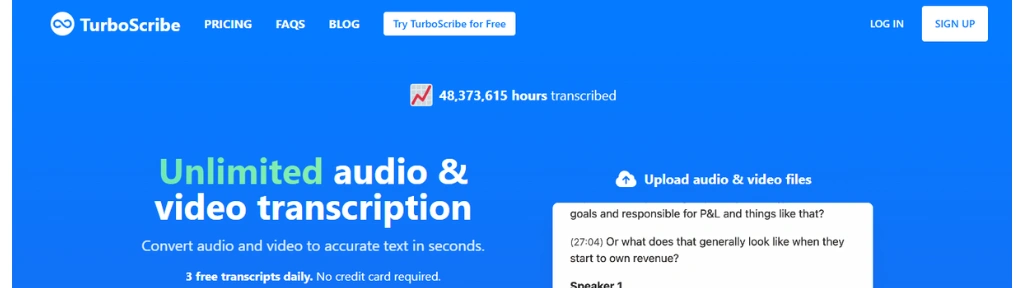
TurboScribe is an AI transcription service that provides unlimited audio and video transcription, converting files to text in 98+ languages with extremely high accuracy — purpose-built for file-based transcription at volume, with no meeting bots, no AI summaries, and no CRM integrations. Just fast, accurate, unlimited transcripts. 47,726,777 hours transcribed and counting.
2. Accuracy & Language Support
TurboScribe claims 99.8% accuracy — the highest stated figure on this entire list — powered by Whisper, OpenAI’s speech-to-text model. Languages like English are the most accurate, typically with human levels of performance and strong recognition of specialized, domain-specific vocabulary, with 98+ supported for transcription and translation into 134+ languages — the broadest translation coverage of any tool reviewed here.
3. Pricing Model
Free: 3 transcripts daily, 30-minute maximum per file, 1 file at a time, lower processing priority. Unlimited: $10/month billed annually ($120/year, saving 50%) or $20/month billed monthly — truly unlimited transcriptions, 10-hour file uploads up to 5 GB, 50 files at a time, all transcription modes, translation to 134+ languages, bulk exports, unlimited storage, and highest priority processing. No credit card required for the free tier.
4. Standout Feature
Three selectable transcription modes are TurboScribe’s most distinctive UI choice: Cheetah (fastest), Dolphin (balanced), and Whale (most accurate) — letting you trade speed for accuracy depending on the job.
Pair that with a built-in AI audio restoration tool that removes background noise before transcription — recommended as a last resort for files with poor audio — and the ability to transcribe up to 720 hours per month at the Unlimited tier, with customers regularly processing hundreds of hours monthly. No other tool on this list lets a single user operate at that scale for $10/month.
5. Limitation / Verdict
TurboScribe is lean by design — there are no AI summaries, no meeting bots, no team collaboration features, no CRM integrations, and no enterprise compliance certifications (SOC 2, HIPAA, ISO 27001 are not mentioned anywhere on the site).
The free tier’s 3-file-per-day cap and 30-minute limit are tight enough that most serious users will need to upgrade quickly. It’s also a solo-founder product, which matters for enterprise buyers who need SLA guarantees and dedicated support.
For individuals, however, the value is almost absurd — customers regularly transcribe hundreds of hours per month for the price of a couple of coffees.
⭐⭐⭐⭐½ — The best price-per-hour transcription value on this list, full stop. If all you need is fast, accurate, unlimited file transcription in 98+ languages with no usage anxiety, TurboScribe is the easiest recommendation here.
Rev
Quick heads-up: Rev has significantly repositioned since many STT roundups were written. It’s now a legal-first “Investigative Intelligence Platform” targeting law enforcement, prosecutors, defense teams, and court reporters — no longer a general-purpose transcription tool for podcasters or casual users.
Best for legal teams, law enforcement agencies, and court reporters who need the highest evidence-grade accuracy — with CJIS and HIPAA compliance, human verification on demand, and AI that can analyse 500 files of evidence simultaneously.
1. What it specializes in
Rev is the only Investigative Intelligence Platform built for the highest scrutiny, turning digital evidence into verified, citable findings for legal and investigative teams.
It covers AI transcription, human-verified transcription, court reporting, multi-file evidence analysis, AI captions, global subtitles in 17 languages, SmartDepo summaries, and a speech-to-text API — all structured around legal workflows rather than general content creation.
2. Accuracy & Language Support
Two accuracy tiers sit on the same platform: AI transcription delivers 96%+ accuracy, while human transcription delivers 99%+, available 24/7 and delivered in as little as two hours.
Rev’s proprietary ASR is benchmarked at 47% more accurate than competitors in challenging environments — body cam footage, jail calls, and noisy field recordings where other models break down.
AI transcription supports 37+ languages including Spanglish on Pro and above, with side-by-side foreign language translation in beta.
3. Pricing Model
Free: 45 AI transcription minutes/month, English only, 5-file analysis. Essentials: $25.49/seat/month (billed annually) — 5,000 AI minutes/seat/month, English and Spanish, 10-file analysis, AI Notetaker, 10% off human services.
Pro: $47.99/seat/month (annually) — 10,000 verbatim AI minutes/seat/month, 37+ languages, 50-file analysis, unlimited custom legal templates, side-by-side translation, 15% off human.
Unlimited: Custom pricing — unlimited minutes, 500-file analysis, HIPAA and CJIS compliance, unlimited seats. Human transcription, captions, and subtitles are pay-per-minute add-ons with subscriber discounts.
4. Standout Feature
Multi-File Analysis lets you examine audio, video, Word, PDF, and TXT files side by side across an entire evidence file — surfacing contradictions, reconstructing timelines, and finding the moment that changes the case, with every answer cited back to the original record, not generated from a model’s best guess.
Add to this SmartDepo with guaranteed 100% page-line accurate deposition summaries, CJIS security compliance for law enforcement (the only tool on this list with it), and recognition as the State Bar of Texas’ first official legal AI partner alongside endorsements from the American Bar Association and National Association of Criminal Defense Lawyers — and Rev is operating in a category of its own.
5. Limitation / Verdict
Rev is one of the most expensive tools on this list per seat — at $47.99–$59.99/seat/month for Pro — and the pivot to legal has made it a poor fit for general users, podcasters, researchers, or creators who knew it as a straightforward transcription service.
The 45-minute free tier is too limited to meaningfully evaluate it. Human transcription isn’t bundled in any subscription tier; it’s a per-minute cost on top.
And while the broader language coverage on Pro is useful, 37 languages trails the 100+ offered by Transkriptor and HappyScribe. For everyone outside the legal and law enforcement world, there are better value options on this list. For those inside it, there aren’t.
⭐⭐⭐⭐½ (for legal teams) / ⭐⭐½ (for general use) — The most specialized and defensible transcription platform here. If your transcripts end up in a courtroom, Rev is the clear first call.
Otter AI
Quick heads-up: Like Fireflies, Otter is a meeting intelligence platform first, with transcription as the engine underneath. It’s built around live meetings and ongoing conversation capture rather than bulk file-based transcription.
Best for individuals, students, and cross-functional teams who want a free-to-start meeting intelligence platform that turns every conversation into a searchable, actionable knowledge base — and grows with them all the way to enterprise.
1. What it specializes in
Otter AI Meeting Agent supports real-time transcription, live chat, automated summaries, insights, and action items — positioning itself as a full Conversational Knowledge Engine rather than a transcription tool.
Trusted by 40 million+ users including teams at nearly every Fortune 500 company, with users reporting a conservative average of 4+ hours saved per week.
2. Accuracy & Language Support
Otter doesn’t publish a specific accuracy percentage publicly, but supports multilingual live transcription in English, French, Spanish, Japanese, German, and Mandarin — a notably smaller language set (6) than file-focused tools like Transkriptor (100+) or HappyScribe (150+). Speaker recognition and live labeling are included across all plans.
3. Pricing Model
Basic is free forever — unlimited meetings, automated AI summaries, and basic integrations including Zoom, Google Meet, Teams, and Slack. Business is $19.99/seat/month with a 7-day free trial — adding 6,000 transcription minutes/month, 4-hour per-conversation limit, collaborative note editing, and unlimited audio/video file imports. Enterprise pricing is custom with advanced security and governance controls.
4. Standout Feature
Bot-free desktop recording lets you capture conversations directly from your Mac or Windows desktop without a bot joining the call — a privacy-friendly differentiator that no-one on the meeting platform wants to see but everyone wants.
Beyond that, Otter’s MCP Server lets ChatGPT, Claude, and other AI tools securely access your meeting knowledge for deeper analysis and smarter workflows — turning your entire conversation history into a live context layer for any AI tool you already use.
The newer SDR Agent handles lead qualification, personalized live demos, and automatically booked meetings directly from your website, 24/7 without adding headcount — a use case no other tool on this list attempts.
5. Limitation / Verdict
Six supported languages for live transcription is a meaningful gap versus competitors if your team operates in anything beyond the six listed.
The Business plan’s 6,000 minutes/month (~100 hours) cap can also feel tight for heavy recording teams, and there’s no human transcription add-on for accuracy-critical content.
The free plan, however, is genuinely one of the most useful in this entire roundup — unlimited meetings with AI summaries at no cost is a real competitive advantage for individuals and small teams just getting started.
⭐⭐⭐⭐½ — The most accessible meeting intelligence platform here, with the broadest appeal from student to enterprise. Not the right call for bulk file transcription or multilingual teams, but the clearest first choice for anyone building a conversational knowledge base from their meetings.
Descript
Quick heads-up: Descript is primarily a text-based video and podcast editor — transcription and captions are the engine that powers everything, not standalone products. If you are looking for a pure STT tool should note that Descript bundles transcription inside a full creative suite, and the pricing reflects that.
Best for podcasters, YouTubers, and video creators who want AI captions, subtitle translation, and transcript-driven video editing — all in one tool, without juggling a separate transcription service and a separate editor.
1. What it specializes in
Descript auto-generates engaging captions and subtitles — drag and drop your video file, let it transcribe, then customize and translate into 20+ languages — but that description undersells what’s actually happening.
Descript’s transcription is the foundation of its entire text-based editing workflow: edit the transcript, and the video edits itself. Captions, subtitles, and speaker labels are all outputs of the same transcription layer that powers the whole platform.
2. Accuracy & Language Support
Descript uses best-in-class speech recognition under the hood with high accuracy on clean audio, and supports transcription and caption generation across multiple languages with translation into 20+ languages for subtitles.
It handles speaker identification and auto-labels speakers in multi-person recordings — essential for podcast and interview workflows where knowing who said what matters as much as what was said.
3. Pricing Model
Free: $0/month — 1 media hour/month, 100 AI credits, 720p export, limited AI tools. Hobbyist: $16/month (billed annually) — 10 media hours/month, 400 AI credits, 1080p export, Underlord AI video co-editor, Studio Sound, Remove Filler Words, Create Clips, and AI Speech with custom voice clones. Creator: $24/month (billed annually) — 30 media hours/month, 800 AI credits, 4K export, full Underlord access, 20+ AI tools, AI video generation, and royalty-free stock media library.
4. Standout Feature
Text-based editing is the feature that has no equivalent on this list. Once Descript transcribes your file, you edit video by editing words — delete a sentence from the transcript and that section disappears from the video.
Cut filler words, remove entire paragraphs, rearrange sections — all without touching a timeline. Captions publish directly from that same transcript, meaning there’s zero duplication of effort between editing your video and generating your subtitles.
Add to that Studio Sound, which removes background noise and enhances audio quality in one click, eye contact correction that makes speakers appear to look at the camera even when they’re reading from a script, and Underlord — an agentic AI co-editor that can create clips, write show notes, and cut a full episode from raw footage — and Descript is operating in a completely different category from every other tool on this list.
5. Limitation / Verdict
Descript is built for creators making video and podcast content — if your use case is bulk file transcription, legal documentation, meeting notes, or multilingual workflows beyond 20 languages, every other tool on this list is a better fit.
The free plan’s 1 media hour/month is genuinely tight for real production use, and AI credits introduce a secondary usage meter on top of media hours that catches new users off guard.
For pure STT accuracy and volume, TurboScribe or Transkriptor will serve you better. But for any creator who edits video or podcasts and wants captions to be a one-click byproduct of their edit — not a separate workflow — Descript is in a category of its own.
⭐⭐⭐⭐½ — Not a transcription tool with a video editor bolted on, but a video editor with transcription at its core. The distinction matters enormously for which type of reader should pick it.
These are the best services and software for transcription according to me, you can also download software like Express Scribe, Inscribe, Otranscribe, etc, but I prefer web apps as these are more convenient.
Note:
The pricing information for these platforms may be subject to change over time. Therefore, we recommend checking their respective websites for the most up-to-date and accurate information regarding pricing.
- Also note that the information may have changed since the publication.
Conclusion
The right speech to text tool depends entirely on what you’re transcribing, how much of it, and what you need to do with it after.
For pure unlimited file transcription at the lowest price, TurboScribe is the standout — 99.8% accuracy, 98+ languages, and no minute caps for $10/month.
For meeting intelligence, Otter.ai is the most accessible starting point (free forever, 40M+ users), while Fireflies edges ahead for sales teams and CRM-driven workflows.
For professional and enterprise file transcription, Transkriptor and Sonix lead on accuracy and AI intelligence, with HappyScribe taking the top spot for human-verified quality across the widest language range.
If your content lives in the broadcast or media world, Amberscript and Txtplay are the only tools on this list built for that compliance and captioning standard.
For legal teams, Rev is in a category of its own. And for video creators and podcasters who want transcription to be a byproduct of their edit — not a separate step — Descript has no real rival.
One final note: accuracy claims across this category vary wildly — from an honest 90% to an optimistic 99.8% — and the gap between them only shows up on difficult audio.
Whichever tool you choose, run your most challenging file through the free trial first. Your ears will tell you more than any benchmark ever could.