There are different ways of communication, you can communicate via text, phone, email, chat, etc. But in all these communications you can’t see the person on the other side.
But using videos you can communicate in a more active method, and Tolstoy helps you to do that in an easy way.
In this Tolstoy review article, we will see how you can use this platform to create interactive videos and communicate more with your leads, students, customers, etc.
Disclosure: This post may contain affiliate links. This means if you click on one of the links and purchase anything I may receive some affiliate commission at no extra cost to you. Thanks in advance for your support.
Tolstoy Review
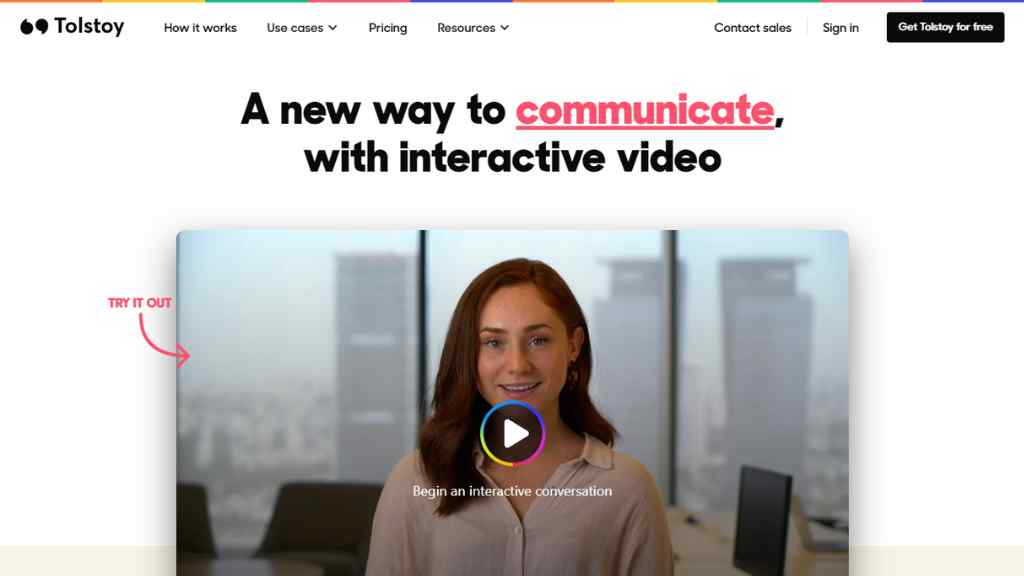
You can begin an interactive conversation very easily using Tolstoy.
You can record short videos using your phone and then add them together using Tolstoy’s interactive video builder.
You can publish short videos anywhere, and we will call these ‘Tolstoy’.
It is effortless to embed Tolstoy in a blog, website, or landing page. You can even share the Tolstoy in your emails, text, or social media.
You can manage entire video or audio conversations with Tolstoy and collect responses from your viewers.
You will get a powerful analytics dashboard to track engagement and metrics and create segmentation based on your viewers’ responses.
How to create a one-step Tolstoy
First, you need to sign up, I think you have done it already.
Now you can choose a ready-made Tolstoy or create your own.
Now you can record your screen, upload a video file or choose a video clip that you have already uploaded to the library.
If you want to create your own Tolstoy then click on the ‘record video’ option and it will ask for access to your camera & microphone.
After giving permission and recording the video you can proceed with it or just simply cancel it to re-record the video.
Once you are done with the video now it’s time to add some text or questions and some choices for your viewer to make Tolstoy more interactive.
Now select the type of actions that will be prompted based on the choices made by the viewer.
You can use ‘Next step‘ to send the user to the next part of your Tolstoy, or use ‘Free text‘ to give the user an option to enter a text.
You can use the ‘Lead form‘ to collect details of the viewer such as email address, name, etc.
If you want the user to respond using video or audio then choose ‘Video response‘ or ‘Audio response‘.
You can also set a meeting time using the ‘Calendar’ option, and redirect your user to a link, or to a live chat platform using the ‘Link‘ or ‘Chat‘ options.
Once you have done the video and added questions, choices, and actions based on that, now press on Create Tolstoy and it will be ready to share.
How to create a multi-step Tolstoy
You need to create a multi-step Tolstoy if you want to gather detailed information about your user.
Just after creating the first part of your Tolstoy using the previous method you have to click on ‘Add new part‘.
You will get the same options for recording, uploading, and adding choices for as many parts as you want to create.
Now you have to set links between different parts so that your user can go to any part that he/she selects.
Once the branching between different parts of videos or Tolstoys is done now you can publish it.
Tolstoy Use Cases
Tolstoy for Outreach
How many replies do you get when you send a cold email? how much is your open rate? whatever it is you can boost your open rate by sending personalized video messages.
Create short videos at scale, and send multi-step branched videos to educate your leads and give them a deeper understanding of your product or services.
You can share screen recordings of your products to visually guide them and let them easily book a meeting from inside of your video.
If someone is not interested in meetings then let them respond using text, audio, video, or an instant conversation.
Tolstoy for Marketing & Sales
You can explain your products in seconds and collect qualified leads using Tolstoy.
Create a personalized demo and embed it on your site, and create an automated workflow for your lead generation process.
You can integrate Tolstoy with your help desk and with other stacks of tools that you use.
Warm up your leads, book more meetings, and embed Tolstoy in your emails, LinkedIn messages, or landing pages to improve sales funnels.
Tolstoy for Video Support & Customer Support
Customer support is an important and integral part of any business make it more user-friendly by adding video chatbots to your app or website.
Answer questions using selfie videos and add some personal touch, for complex technical questions guide your users using screen recordings.
You can even reuse popular answers using macros and manage conversations directly from your inbox.
Tolstoy automatically transcribes your videos to let you search quickly across the questions & answers.
Tolstoy for Recruiting
This interactive video platform is a great tool for talent acquisition teams to attract and hire the right people.
Companies can explain to the candidates their roles or positions, give team introductions and display their work culture in an easy way using Tolstoy.
Tolstoy is very useful for those who hire remote employees, they can personalize the hiring process, improve candidate experience with on-demand video interviews, keep him/her engaged, and do a proper evaluation.
You can integrate Tolstoy with your applicant tracking software and send all the hiring data.
Tolstoy for Learning & Development
You can train your employees with interactive video lessons, quizzes, etc.
Break down complex topics in multiple short videos and add them together with personalized questions and paths.
Track your viewers’ progress and also let them ask questions at any point in a Tolstoy video.
Tolstoy for E-Commerce
Create a Tolstoy that is completely shoppable, you can use add to cart feature so that your customer can complete the buyer’s journey from inside your video.
Show your brand’s uniqueness, vision, mission, story, etc using Tolstoy and embed them inside emails, newsletters, SMS, etc.
Give your customers the freedom to ask questions using video or audio to explain their requirements.
You can curate product pages with eye-catching product videos and boost sales using shoppable quizzes.
Collect video reviews from your customers and increase your brand’s authority.
Tolstoy for Product Education & Engagement
Tolstoy will act as a 24/7 customer success manager live inside your app and increase engagement.
You can guide and educate your users with authentic video messages and a real person and it will help you to build better relationships with your customers.
You can increase your customer satisfaction and boost your activation rates by showing relevant video messages throughout your onboarding flow using pop-ups.
You can use rules and triggers to show the right message to each individual at the proper time and help them gain a deeper understanding of your product.
You can announce new features, and explain your pricing, and instead of making a long demo video, you can make a short Tolstoy of each feature so that the users can learn about a particular feature within seconds.
Just like other use cases let your customers ask questions, book meetings, or respond using their preferred way.
Tolstoy for Synthetic Video
There are different use cases for using synthetic videos, you can use video chatbots, product walkthrough videos, or personalized customer success videos.
You can use Synthesia to generate pre-recorded AI videos or use Tolstoy with Colossyan to integrate real people into your videos.
So, as you can see there are numerous use cases of using Tolstoy for your product or services, don’t hesitate to use this awesome interactive video platform to boost your revenue.
Tolstoy Pricing
Tolstoy offers a free plan in which you can make 10 Tolstoys with 5 minutes of recording length and 5 parts per Tolstoy.
You can create unlimited Tolstoys with 15 minutes of recording length and 30 video steps with the Pro plan which costs only $19 per creator per month & it gives you 5000 views per month, you have to pay $10 per additional 1000 views.
The Business plan costs $299/month and gives you 50000 monthly views with charge of $5/1000 views (additional) and other features similar to the Pro plan.
You can get everything unlimited with dedicated CMS and Salesforce integration with the Enterprise plan, and for that, you have to contact them.